
 0
 0
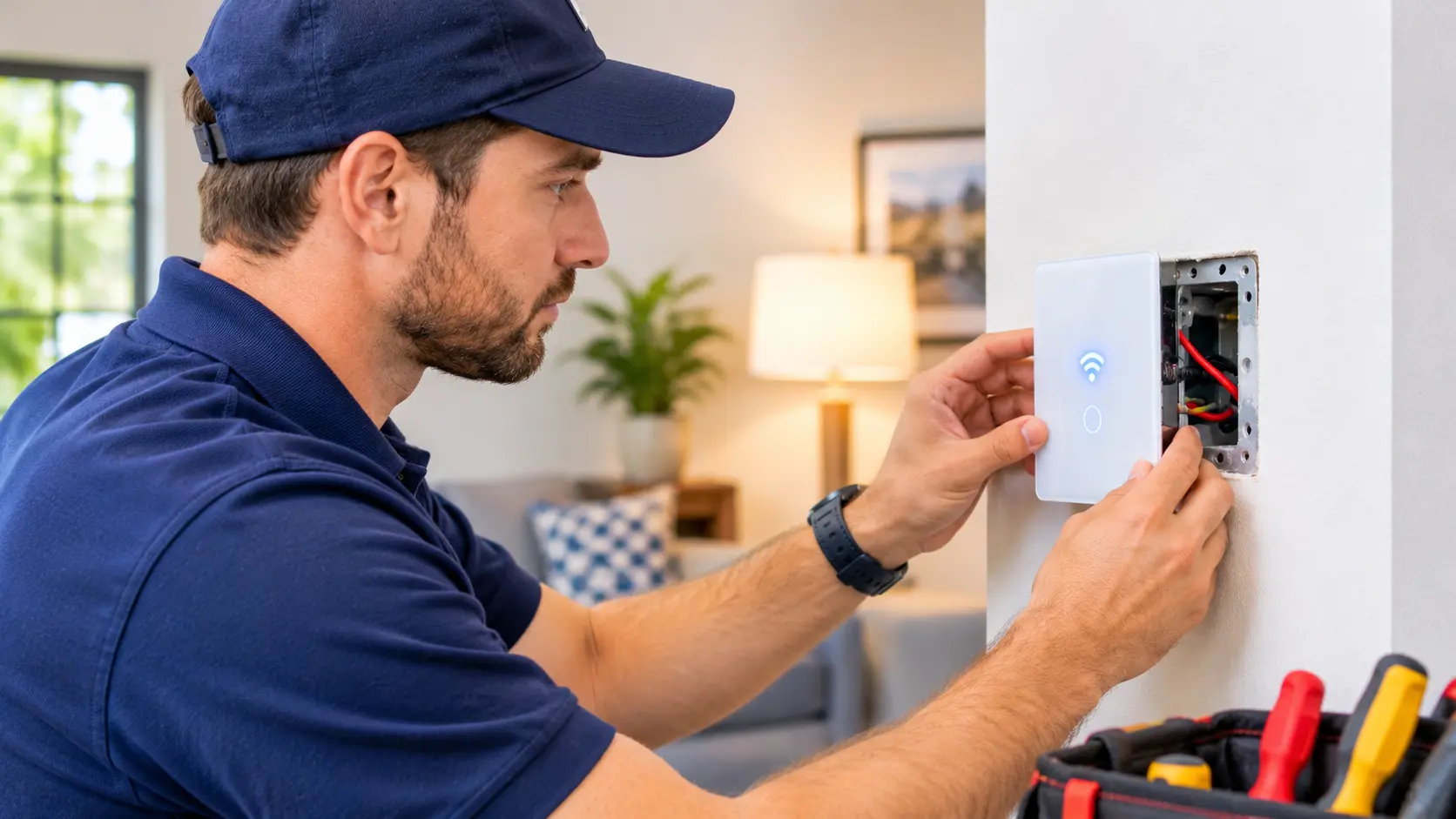
A smart switch can make it easier to control your lights through an app, voice assistant or daily schedule. But installation does not always go smoothly, especially when your switch box does not have a neutral wire.
You may notice that the LED bulb keeps flickering, glows faintly after being switched off, or the smart switch keeps disconnecting from Wi-Fi.
These smart switch without neutral wire problems are common with some no-neutral models. They can happen because the switch gets the small amount of power it needs through the connected light.
The good news is that many of these problems have a clear cause. In this guide, we will explain why they happen and what you should check before replacing your switch or bulb.
Why does a smart switch need a neutral wire?
A smart switch has electronic parts that need power to work. These parts allow it to connect to Wi-Fi or Zigbee, receive commands and communicate with your smart home app.
A regular mechanical switch does not need this extra power. It simply opens or closes the electrical connection to control the light.
In many older homes, the neutral wire goes directly to the light fitting instead of coming into the wall switch box. This is why you may find only two conductors at the switch.
A normal smart switch that requires neutral cannot work correctly without the required neutral connection.
However, some models are specially designed to work without a neutral wire. They use a different method to power their electronics.
Important: A no-neutral smart switch and a neutral-required smart switch are not interchangeable. Always check the exact model’s wiring requirements before buying or installing it.
7 common smart switch without neutral wire problems and their fixes
1. LED bulb flickers when the switch is off
This is one of the most common problems with no-neutral smart switches.
You turn off the light, but the LED bulb starts flashing or flickering after a few seconds. Sometimes it happens every few minutes.
Why does this happen?
Some no-neutral switches need a small amount of current to keep their electronic parts working. That current may pass through the connected LED bulb even when the light is switched off.
The LED driver can react to this small current and produce a brief flash.
What you can check:
- Check whether the bulb is listed as compatible with your switch.
- Check the minimum load mentioned in the switch manual.
- Try a manufacturer-approved compatible bulb.
- Ask whether your switch model supports a bypass or load corrector.
Some manufacturers supply a small bypass component for this purpose. It may need to be fitted at the light fitting, not inside the wall switch box.
Do not connect a random capacitor or other electrical part. Use only the component specified for your exact switch model, installed by a qualified electrician.
2. LED bulb glows faintly after switching off
Have you noticed that your LED bulb is still slightly glowing even though the switch is off?
This is sometimes called ghost glow.
It can happen because a small amount of current continues to pass through the LED bulb when a no-neutral switch is in the off position.
The bulb may not be receiving enough power to light normally, but it can still produce a faint glow.
Possible solutions:
- Check whether the switch supports your LED bulb.
- Compare the bulb’s wattage with the switch’s minimum load requirement.
- Check the manufacturer’s instructions for an approved bypass.
- Ask an electrician to check the switch and light circuit.
Changing to a compatible LED bulb may solve the problem in some installations.
If the faint glow started immediately after installing the smart switch, tell the electrician that the issue occurs when the switch is off.
3. Smart switch keeps disconnecting from Wi-Fi
A no-neutral smart switch may work for a few minutes and then appear offline in the app.
You may still be able to operate it manually, but app control stops working.
Possible reasons include:
- The switch is not designed for no-neutral wiring.
- The connected load is below the required minimum.
- The switch is not receiving stable power.
- Wi-Fi coverage is weak.
- The switch has a pairing or software problem.
Try these checks:
- Check the model number and confirm that it supports no-neutral installation.
- Check the manufacturer’s minimum load requirements.
- Check your Wi-Fi signal near the switch.
- Restart your router if other devices are also disconnecting.
- Check whether a firmware update is available.
If the switch continues to disconnect, ask an electrician to check the installation and connected load.
Read Also: How to connect smart bulb to 5ghz wifi: Easy Guide to Solve It
4. Smart switch makes a buzzing sound
A faint electrical sound can sometimes come from a switch or connected lighting equipment.
With a no-neutral switch, the issue may be related to the way it draws power or how it works with the connected LED driver.
It may also be caused by an unsuitable bulb or an electrical problem.
What should you do?
- Check the manufacturer’s bulb compatibility list.
- Confirm that the connected light is within the supported load range.
- Check whether the sound comes from the switch or the light fitting.
- Stop using the switch if the buzzing is loud, becomes worse or comes with heat or a burning smell.
Do not open the switch to investigate it while connected to the mains. Have a qualified electrician inspect it.
5. Smart switch does not turn on the LED bulb
Sometimes the smart switch appears to work, but the light does not turn on.
This may happen when the connected bulb does not meet the switch’s minimum load requirement.
For example, a no-neutral switch may require a minimum connected load of 5W, while the LED bulb you installed is only 3W.
The exact minimum varies between products. Some switches also have restrictions on bulb type.
Check these things:
- Minimum wattage supported by the switch.
- Maximum load rating.
- Whether LED bulbs are supported.
- Whether the manufacturer requires a bypass.
- Whether the bulb works correctly with a normal compatible switch.
Do not assume that every LED bulb will work with every no-neutral smart switch.
6. Smart switch works manually but not in the app
If the physical button works but the app does not respond, the problem may be related to Wi-Fi, pairing or the switch’s power supply.
Start with the simple checks:
- Open the manufacturer’s app.
- Check whether the switch appears online.
- Check your router connection.
- Restart the app.
- Check for a firmware update.
- Follow the manufacturer’s instructions to reconnect the switch if necessary.
If the switch repeatedly goes offline, do not assume that Wi-Fi is the only problem. The switch’s wiring and minimum load may also need to be checked.
7. Smart switch behaves differently after changing the bulb
You replace an old LED bulb with a new one, but suddenly the light starts flickering or glowing when switched off.
This can happen because different LED bulbs have different internal drivers. Even when two bulbs have the same wattage, they may not work in exactly the same way with a no-neutral switch.
Try this:
- Check the bulb model against the switch manufacturer’s compatibility information.
- Compare the wattage with the switch’s minimum load.
- Test a known-compatible bulb if the manufacturer recommends one.
- Check whether the new bulb is dimmable if you are using a smart dimmer.
If the old bulb worked properly and the new one does not, bulb compatibility is worth checking before replacing the smart switch.
What are your options if your switch box has no neutral wire?
If your electrician confirms that there is no neutral wire in the switch box, you still have a few options.
| Option | What it means | Best suited for |
|---|---|---|
| Choose a no-neutral smart switch | Use a model designed for this wiring arrangement | Homes where new wiring is not practical |
| Add a neutral wire | Have an electrician bring the required neutral connection to the switch box | Permanent smart switch installation |
| Use a smart relay | Install a suitable relay at a point where the required connections are available | Suitable existing lighting circuits |
| Use smart bulbs | Control the bulbs through an app without changing the wall switch wiring | Renters and simple smart lighting setups |
The right option depends on your existing wiring, the type of light and the features you need.
For example, if you only want app control, smart bulbs may be easier than changing the wall switch. However, the wall switch generally needs to remain on for the smart bulb to stay connected.
Can you install a smart switch without a neutral wire in an Indian home?
Yes, but only if the smart switch is designed for no-neutral installation and is suitable for your electrical circuit.
Many Indian homes have older switchboard wiring where the neutral wire does not come into the wall switch box.
Before buying a switch, check:
- Whether the model supports no-neutral wiring.
- Whether it needs a bypass component.
- Its minimum and maximum load.
- Whether it supports your LED bulbs.
- Whether it fits your existing switchboard.
Do not identify wires by colour alone. Wire colours can vary between installations and may not reflect the actual connection.
Ask a qualified electrician to inspect the switch box and confirm the wiring safety before installation.
Also, never use the earth wire as a replacement for neutral. They have different purposes and must not be treated as interchangeable.
FAQ: smart switch without neutral wire problems
Can a smart switch work without a neutral wire?
Yes. Some smart switches are designed to work without a neutral wire. However, many standard smart switches require a neutral connection. Always check the manufacturer’s specifications for the exact model.
Why does my LED bulb flicker with a no-neutral smart switch?
Some no-neutral switches pass a small amount of current through the connected light to power their electronics. Certain LED bulbs react to this current and may flicker. Check bulb compatibility and the manufacturer’s recommended bypass solution.
Do all no-neutral smart switches need a capacitor?
No. Some models require a specific bypass or capacitor, while others do not. Follow the instructions for the exact model instead of adding a generic component.
Can a no-neutral smart switch damage an LED bulb?
An incompatible setup can cause flickering, faint glowing or unstable operation. Check the manufacturer’s compatibility requirements. If the bulb becomes unusually hot or shows signs of damage, stop using it and have the installation checked.
Is a no-neutral smart switch better than a normal smart switch?
Neither option is always better. A no-neutral model can be useful when the switch box has no neutral wire. A neutral-powered model may be a better choice when a suitable neutral connection is available. Choose according to your wiring and the manufacturer’s requirements.
Final thoughts
Smart switch without neutral wire problems are often linked to bulb compatibility, minimum load or the way the switch gets power.
If your LED bulb flickers, glows faintly or the switch keeps disconnecting, start by checking the model’s wiring requirements and supported load.
Do not try random wiring changes or install an unapproved capacitor. A qualified electrician can check the circuit and help you choose a suitable solution.
The most important step is to choose a smart switch that matches your existing wiring instead of trying to make an incompatible model work.