 0
0
 0
0
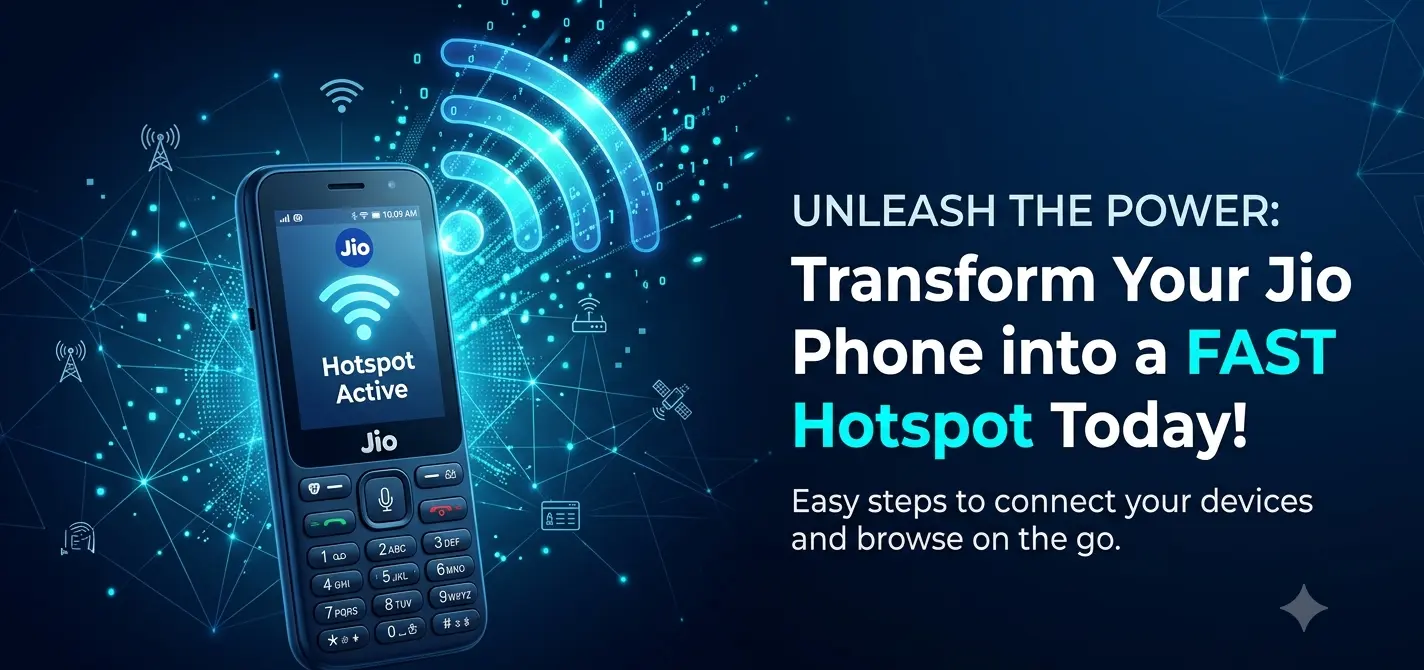
Many Jio Phone users want one simple thing: the ability to share mobile internet with another device. But unlike most smartphones, Jio Phone does not offer a normal hotspot toggle in its default interface, which is why people keep searching for “Jio Phone online hotspot secrets” and similar hidden tricks.
Over time, different tutorials have claimed that hotspot can be enabled through secret codes, browser links, modified apps, or special settings. Some of these methods are unofficial workarounds, while others are outdated or only work on specific versions. In this article, we’ll break down what these methods mean, what actually works, and what you should be careful about before trying them.
What Jio Phone Online Hotspot Secrets Really Means
The phrase “online hotspot” is not an official Jio feature name. In most cases, it refers to a workaround that tries to unlock hotspot-like sharing on Jio Phone through hidden menus, modified software, or third-party tools.
People usually use this term when searching for:
-
Hidden hotspot settings.
-
Browser-based tricks.
-
App-based hotspot workarounds.
-
USB tethering methods.
-
Launcher or settings app modifications.
In simple words, the phrase is more about user-discovered tricks than an officially supported feature.
Why Jio Phone Users Search for Hotspot Tricks
There are a few common reasons people look for hotspot solutions on Jio Phone.
First, many users want to share their mobile data with a laptop, tablet, or another phone. Second, students and budget users often prefer using one data plan across multiple devices. Third, older YouTube tutorials and blog posts have made the topic sound like a “secret unlock,” which creates even more curiosity.
That is why this topic continues to get attention even years after the first hotspot-related videos appeared.
Does Jio Phone Have Built-in Hotspot?
By default, Jio Phone does not provide a standard hotspot option in the same way Android smartphones do. That is why users often try alternate methods instead of finding a simple toggle in settings.
Some guides mention that hotspot support can appear through modified interfaces or special app installations. Others show USB tethering as an easier option. So while the phone can sometimes share internet in certain ways, that does not always mean it has a proper built-in wireless hotspot feature.
Common Methods People Try
Here are the main methods people usually search for when trying to enable hotspot on Jio Phone.
1. USB Tethering
USB tethering is often the most practical option if you want internet on a computer. The phone is connected by cable, and the internet is shared through that wired connection.
This method is usually more stable than wireless tricks, and it may be easier for beginners. However, it is not the same as a Wi-Fi hotspot, so it works best for laptops or desktops rather than multiple wireless devices.
2. Modified Settings App
Some tutorials suggest installing a modified settings app that exposes hotspot-related options. In these guides, hotspot controls may appear inside the phone’s settings after the app is installed.
This is one of the most common “secret” methods discussed online. But because it depends on unofficial software changes, it may stop working after updates or may not be safe for every device.
3. Launcher-Based Tricks
A few tutorials claim that changing the launcher or home screen can reveal hidden internet-sharing features. These methods usually come from community-made tools or older customization guides.
The problem is that launcher tricks are often device-specific. What works on one Jio Phone model may not work on another, and some methods may also affect stability or performance.
4. Online Shortcut or Browser Trick
Some videos and posts describe an “online hotspot” link or browser-based trick. These usually point to a shortcut page, download link, or hidden setting sequence that allegedly enables hotspot features.
These methods are popular because they sound easy, but they are also the least reliable. Many of them are outdated, and some may lead to unsafe downloads or broken instructions.
What Works Best in Real Use
If your goal is simply to get internet on a laptop, USB tethering is usually the most realistic solution. It avoids many of the risks linked to modified apps and unofficial hotspot tools.
If you need wireless sharing, a dedicated hotspot device or a phone that officially supports hotspot is a better long-term choice. That way, you avoid compatibility issues, repeated setup problems, and possible software instability.
For most users, the biggest question is not whether a trick exists, but whether it is dependable. In that sense, practicality matters more than the promise of a “secret method.”
Risks You Should Know
Unofficial hotspot methods can come with several risks.
-
They may stop working after a software update.
-
They may require apps from unknown sources.
-
They can affect phone stability.
-
They may not work on every Jio Phone model.
-
Some guides may be misleading or unsafe.
If a method asks you to install files from unverified sources, think twice before proceeding. A simple workaround should not create a bigger problem than the one you are trying to solve.
Battery and Performance Concerns
Even when hotspot-style sharing works, it can drain battery quickly. Phones that are constantly sharing internet usually use more power and may heat up more than normal.
That is why users who rely on these methods should keep their charger nearby. If you plan to use tethering or another sharing method for long periods, battery life and heat management become important.
Best Alternative for Most Users
For most Jio Phone owners, USB tethering is the safest and most practical option. It is easier to control, less complicated than modified software tricks, and better suited for a single computer connection.
If you need internet for multiple devices regularly, investing in a proper mobile hotspot device or a smartphone with official hotspot support may save time in the long run. That is often better than chasing unstable secret methods.
Step-by-Step Summary
If you want a quick practical path, here’s the simplest way to think about it:
-
Check whether your real need is wireless sharing or just internet on a computer.
-
Try USB tethering first if you only need a laptop connection.
-
Avoid downloading random apps or unofficial files unless you trust the source.
-
Treat browser tricks and secret-code tutorials with caution.
-
Use a dedicated hotspot device if you need a dependable long-term solution.
How to Unlock Jio Phone Online Hotspot Secrets Power
If you want a clean, helpful section for your blog, this headline should focus on the reality behind the “secret power” claim: most Jio Phone hotspot methods are unofficial workarounds, not a normal built-in feature. The best approach is to explain what users are trying to unlock, what may work on some devices, and what risks come with modified settings, launcher tricks, or hotspot apps.
Here is a ready-to-use version:
Jio Phone users often search for “online hotspot secrets power” because they want to share internet without buying another device. In many cases, the so-called unlock method refers to hidden settings, modified apps, or shortcut-based tricks that try to expose hotspot or tethering options. Some older tutorials claim this can be done without PC or without OmniSD, but those methods are often version-specific and may stop working after updates.
If you are writing for readers, keep the advice practical. Explain that the most stable option is usually USB tethering when the goal is to connect a laptop, while wireless hotspot workarounds are less reliable and may require unofficial files or interface changes. That makes the section more trustworthy and less misleading.
Read Also: Jio Phone Online Hotspot Secrets: Share Your Internet Like a Boss
Helpful points to include
-
Jio Phone does not show a normal hotspot toggle in its default interface.
-
“Secret power” usually means hidden or unofficial methods, not an official setting.youtube+1
-
Some tutorials use modified settings apps or launcher changes.
-
USB tethering is often the simplest working alternative for a computer.
Troubleshooting Common Jio Phone Hotspot Issues
This section should help readers who already tried hotspot methods and are facing problems. A good structure is to list the common issue first, then give the quickest fix, then explain when the problem is probably due to the phone model, software version, or plan limitations.
General hotspot troubleshooting advice also recommends restarting the phone, checking whether the plan supports tethering, resetting network settings, and trying different hotspot band or connection settings when available.
Common problems and fixes
1. Hotspot option does not appear
This usually means the method you followed is outdated, unsupported on your phone version, or blocked by the stock Jio Phone interface. Try a different supported workaround, but avoid random downloads from untrusted sources.
2. Hotspot turns on but no device connects
The problem may be caused by an unstable modified app, a bad cable in the case of USB tethering, or a temporary network issue.
3. Hotspot connects but internet does not work
Check whether your data plan supports tethering or sharing, because hotspot access can fail even when mobile data is active. If you are using a workaround app, the issue may be with the method itself rather than the network.support.google+1
4. Hotspot disconnects frequently
This often happens when the phone is low on battery, overheating, or using an unstable unofficial setup. Keep the phone charged and avoid running multiple background tasks while sharing internet.support.google+1
5. After update, hotspot trick stops working
Many Jio Phone hotspot tutorials are version-dependent. If a method worked earlier and now fails after an update, the feature may have been changed or blocked in the newer software build.youtube+2
Quick troubleshooting checklist
-
Restart the phone first.
-
Confirm that your data plan supports tethering or sharing.
-
Try another device to check whether the issue is with the phone or the receiving device.
-
If using USB tethering, try another cable or USB port.
-
Avoid unverified apps and old download links.
Conclusion
The truth behind Jio Phone online hotspot secrets is simple: most of the so-called tricks are unofficial workarounds, not a standard built-in feature. Some methods may work on certain devices or software versions, but they are often temporary, inconsistent, or risky.
If you only need to connect a laptop, USB tethering is usually the most reliable choice. If you need regular wireless sharing, a proper hotspot device is the smarter solution. In the end, the best method is the one that works consistently without breaking your phone or wasting your time.




















Average Rating