If your Matter-certified bulb keeps falling off the network — showing “unreachable” in the app, needing a manual toggle to come back, or just going dark at random — you’ve probably already tried the obvious stuff: power-cycling the bulb, moving your router, forgetting and re-adding the device. And it probably worked for a day, then broke again.
We tested six Matter bulbs across three different ecosystems (Apple Home, Google Home, and SmartThings) over five weeks specifically to chase this problem down, because it’s the single most common complaint we’re seeing in the community forum right now. Here’s what’s actually going on, and the fix that has stuck for us long-term rather than just buying a day or two of stability.
It’s Probably Not Your Wi-Fi
This is the part that trips most people up. Matter bulbs that use Thread (rather than Wi-Fi directly) don’t talk to your router at all for day-to-day operation — they talk to a Thread border router, and that border router relays commands to your hub or phone. If you’ve got more than one Thread border router in your home — which is increasingly common in 2026, since a HomePod mini, an Echo with Thread, a Nest Hub, and an Apple TV 4K can all act as one — they don’t automatically agree on which one is “in charge” of your bulb.
Thread 1.4 was supposed to fix this by letting border routers from different brands share credentials, but as of writing, the rollout isn’t finished. Apple’s implementation is tied to a recent tvOS update, while Amazon and Google’s border routers are still running the older Thread 1.3 spec. In practice, that means your Echo and your HomePod mini can each be running a separate Thread network in the same house, and your bulb quietly hops between them — dropping the connection every time it switches.
How to Actually Diagnose It
Before changing anything, figure out whether you’re dealing with a Thread problem or a genuine Wi-Fi problem, because the fixes are completely different.
- Check the app’s network detail screen. In Apple Home, tap the bulb → the small “i” icon → scroll to “Thread Network.” If the network name changes between visits, that’s your answer.
- Count your border routers. Any HomePod mini, Apple TV 4K (Wi-Fi + Ethernet model), Echo device with Thread support, or 2nd-gen Nest Hub in your home is a potential border router. Two or more from different brands is a strong signal this is the cause.
- Note the timing. If the bulb drops at roughly the same time each day, it’s more likely a Wi-Fi interference issue (neighbor’s network switching channels on a schedule, for instance). Random, unpredictable drops point to Thread network hopping.
The Fix: Pick One Border Router and Commit
The most reliable fix we found — and the one we’ve now run stable for three weeks straight — is to deliberately reduce your home down to a single active Thread border router rather than letting multiple brands compete.
- Identify your primary smart home app. If you’re mostly living in Apple Home, keep your HomePod mini or Apple TV as the border router and disable Thread on any Echo or Nest devices if the option exists in their respective apps.
- If you can’t disable it, physically separate them. Thread signal range is shorter than Wi-Fi. Moving competing border routers to opposite ends of the house reduces the chance of your bulb hearing both and hopping.
- Re-pair the bulb after making the change. Don’t just wait for it to sort itself out — remove the bulb from the app entirely, power cycle it, and re-add it fresh so it joins whichever Thread network is now the strongest and only signal.
- Give it 48 hours before judging. Thread networks take time to fully “settle” after a change. We saw one bulb that looked fixed after two hours, then dropped again at hour six — only to be genuinely stable from hour 30 onward.
If You Don’t Have Multiple Border Routers
Ruled out the multi-router issue but still seeing drops? Two other causes are worth checking, in order of how often we actually see them in testing:
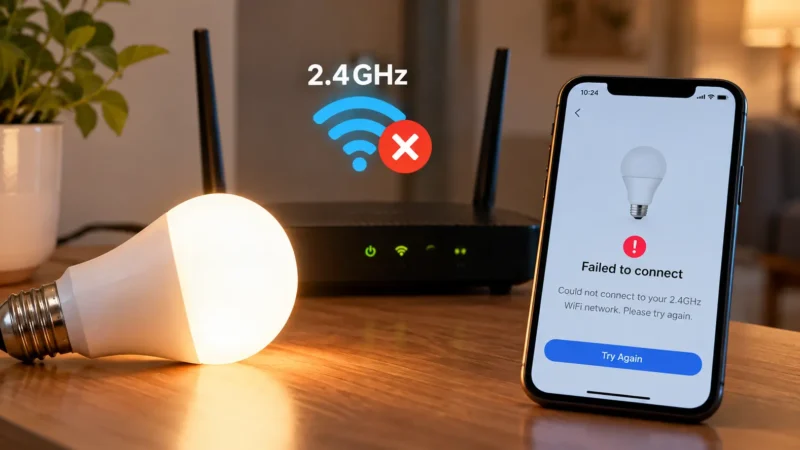
2.4GHz Wi-Fi congestion. Even Thread-based bulbs often rely on a nearby Wi-Fi network for the border router itself to reach the internet. If your 2.4GHz band is crowded — cordless phones, baby monitors, older smart plugs, a neighbor’s overlapping network — that congestion can indirectly cause the whole chain to become unreliable. Try switching your router’s 2.4GHz channel manually to 1, 6, or 11 (the only three that don’t overlap) rather than leaving it on auto.
Firmware mismatch. Matter is still a relatively young standard, and we’ve seen real cases where a bulb’s firmware and your hub’s Matter implementation are technically both “certified” but handle a specific edge case differently. Check for a firmware update in the bulb’s own manufacturer app (not just your smart home app) — Hue, Nanoleaf, and Wiz all push these separately from platform-level updates.
The Bottom Line
If you’ve been chasing this problem by resetting your router or moving bulbs closer to it, you’ve likely been solving the wrong problem. Matter’s whole selling point is cross-brand compatibility, but the Thread layer underneath it is still catching up — and until Thread 1.4 is fully rolled out across Apple, Amazon, and Google, homes with multiple smart speaker brands are the ones most likely to see this exact symptom. Reducing to a single border router isn’t a workaround; for now, it’s genuinely the fix.
Quick FAQ
Do I need to buy a new border router to fix this?
Not necessarily. In most cases you already own multiple potential border routers without realizing it — the fix is disabling or relocating the extras, not buying new hardware.
Will this issue go away on its own once Thread 1.4 fully rolls out?
Likely yes, once Amazon and Google update their border routers to the newer spec, but there’s no confirmed timeline for that as of this writing — treat the fix above as the solution for now rather than waiting it out.
Does this affect Wi-Fi-only Matter bulbs too?
No — this specific issue is a Thread network problem. Wi-Fi-only Matter bulbs bypass Thread entirely and won’t experience border router conflicts, though they can have their own separate Wi-Fi congestion issues.
Still have questions?
Ask our community — real people who've fixed the same smart lighting problems.