
 0
0
 0
0
Many Jio phone users are facing problems with WhatsApp in 2026.
Sometimes it doesn’t open, OTP doesn’t come, or messages stop sending.
This guide will help you fix all WhatsApp problems on Jio phone step by step in simple language.
🔥 Quick Answer
If WhatsApp is not working on Jio phone, try this:
- Restart your phone
- Check internet connection
- Update WhatsApp from store
- Reinstall the app
- Check OTP SMS properly
These steps fix most WhatsApp issues quickly.
Why WhatsApp is Not Working on Jio Phone?
There are a few common reasons:
- Slow or no internet
- Old WhatsApp version
- OTP not receiving
- Storage full
- Server problem
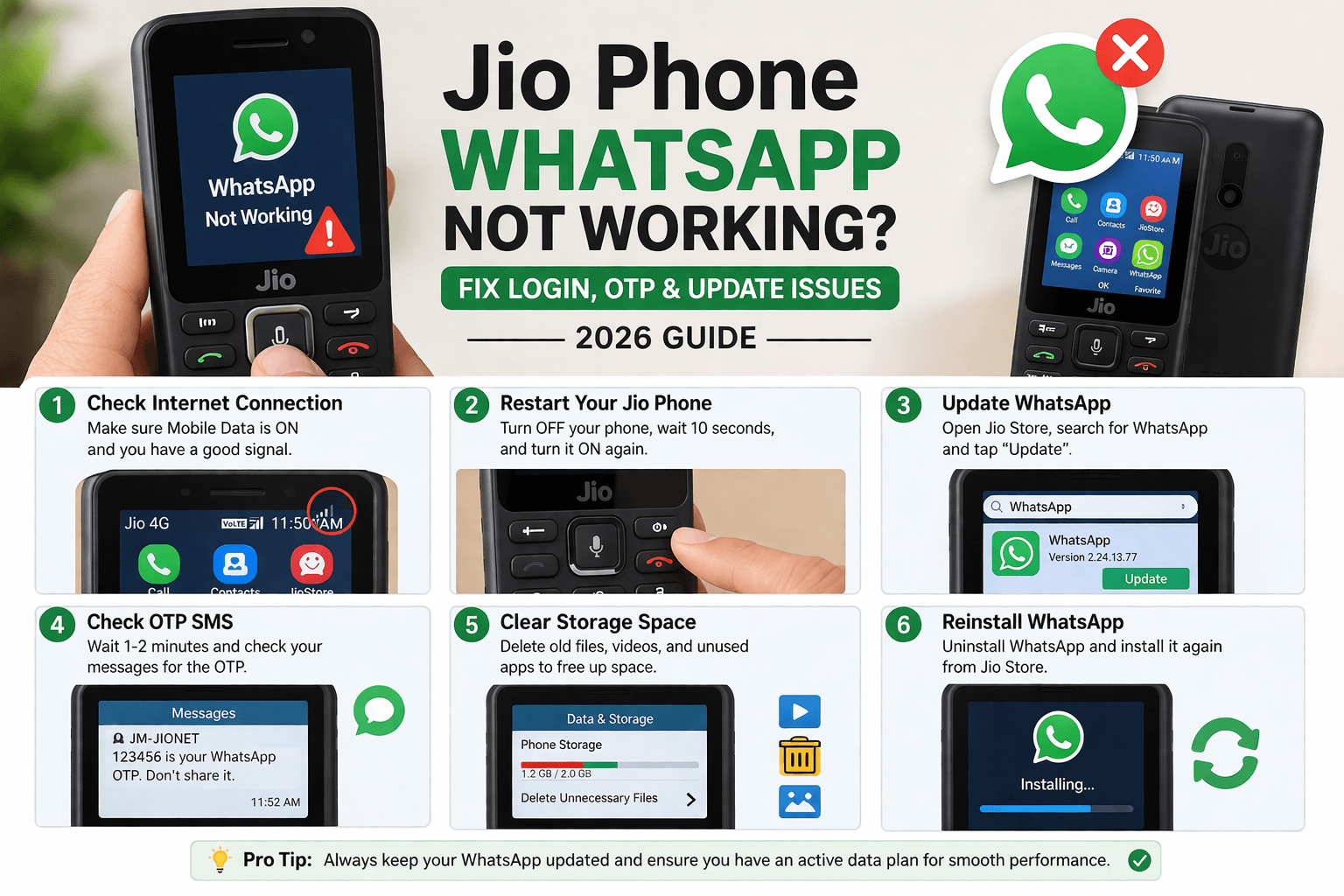
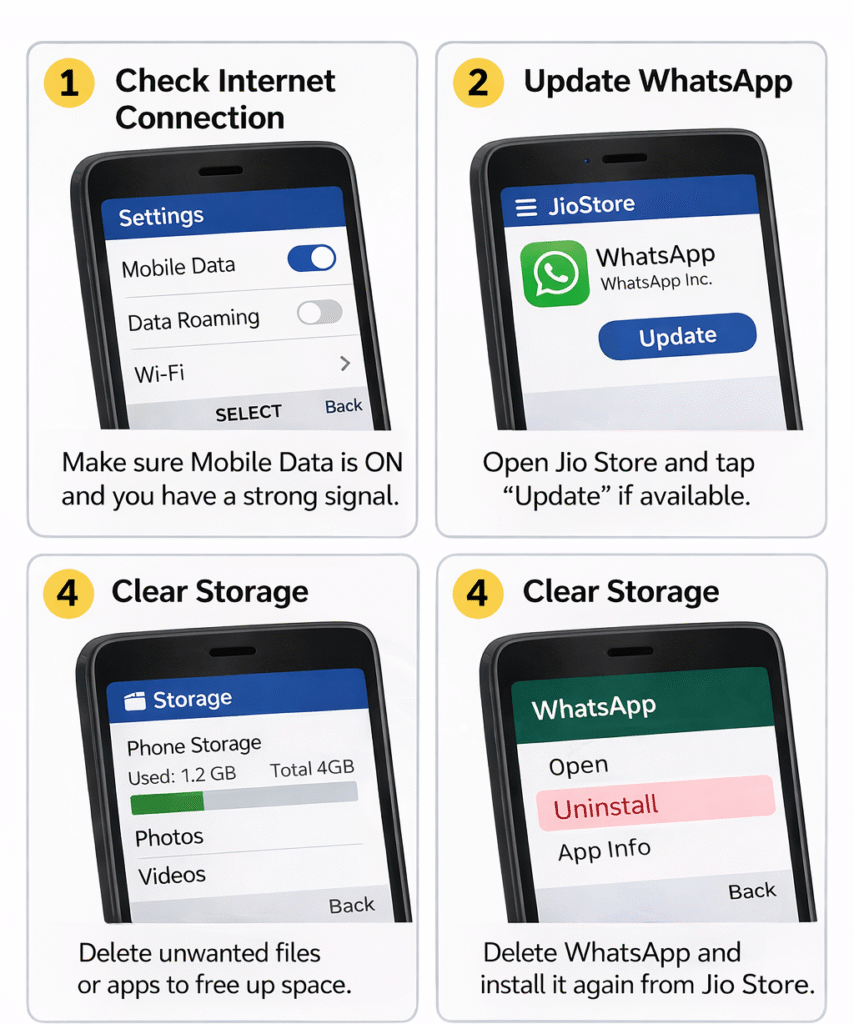
Fix 1: Check Internet Connection
WhatsApp needs a stable internet connection.
👉 Make sure:
- Mobile data is ON
- Signal is strong
- Data plan is active
If internet is slow, WhatsApp may not load or send messages.
Fix 2: Restart Your Jio Phone
This is simple but effective.
- Turn OFF your phone
- Wait 10–15 seconds
- Turn it ON again
👉 This clears small bugs and fixes app issues.
Fix 3: Update WhatsApp
Old versions may stop working.
Steps:
- Open Jio Store
- Search WhatsApp
- Tap Update
👉 Always use latest version for best performance.
Fix 4: WhatsApp OTP Not Receiving
This is a very common problem.
Try this:
- Wait 1–2 minutes
- Check SMS inbox
- Make sure SIM is in slot 1
- Request OTP again
👉 Also check if your number is active.
Fix 5: Clear Storage Space
If storage is full:
- Apps stop working
- Messages don’t send
👉 Delete:
- Old videos
- Unused apps
- Large files
Fix 6: Reinstall WhatsApp
If nothing works:
- Delete WhatsApp
- Restart phone
- Install again from Jio Store
👉 This fixes most app errors.
Is WhatsApp Supported on Jio Phone in 2026?
Yes, WhatsApp still works on Jio phone, but:
- Some older models may face issues
- Updates are required regularly
- Performance depends on internet speed
Simple Explanation
In simple terms, WhatsApp problems on Jio phone happen because of internet issues, outdated apps, or device limitations.
FAQs
Why WhatsApp is not opening on Jio phone?
It may be due to slow internet or outdated app version.
Why OTP is not coming?
Check your network and SMS inbox. Sometimes it takes time.
Can I use WhatsApp without internet?
No, internet is required.
How to fix WhatsApp quickly?
Restart phone and update the app.
Final Thoughts
WhatsApp not working on Jio phone is a common issue, but it can be fixed easily.
Start with:
- Internet check
- Restart
- Update
These steps solve most problems quickly.