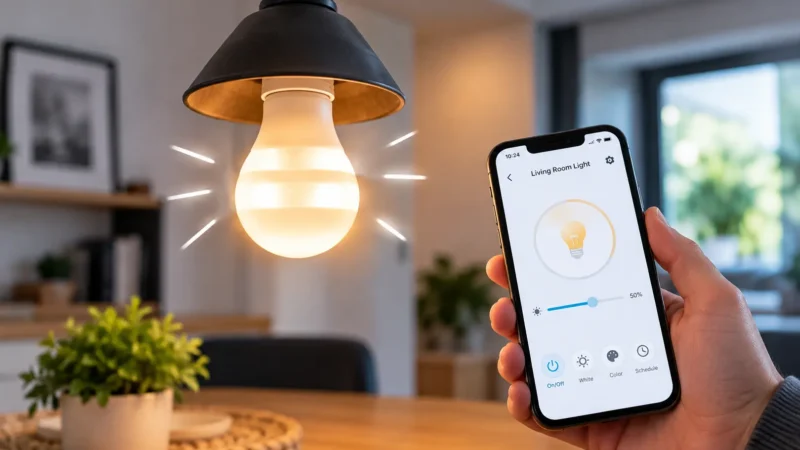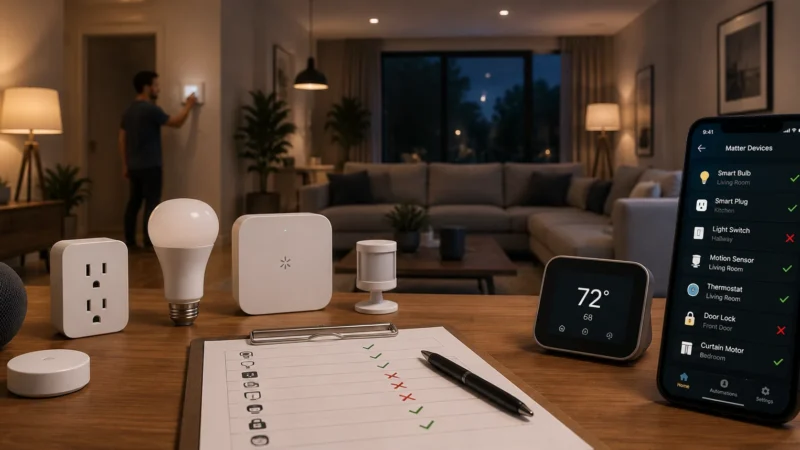
Philips Hue problems can look confusing because the bulb, Hue Bridge, router, Hue app and voice assistant all depend on different connections.
A Hue bulb may show Unreachable while the Bridge works perfectly. The Bridge may lose its network connection while every bulb still has power. Or everything may work in the Hue app while Alexa suddenly says the lights are unresponsive.
This Philips Hue troubleshooting guide helps you work out which part of the system is actually failing before you reset anything.
Start with the symptom below and go directly to the right fix.
Start Here: What Is Your Philips Hue Problem?
| What You See | Most Likely Area | Start Here |
|---|---|---|
| Hue app cannot find the Bridge | Bridge, Ethernet or home network | Hue Bridge Not Connecting |
| One Hue bulb says Unreachable | Power or Zigbee connection | Philips Hue Light Unreachable |
| Several nearby Hue lights are unreachable | Zigbee mesh or power | Check Hue Zigbee Connectivity |
| All Hue lights are unavailable | Hue Bridge or network | Check the Hue Bridge |
| Hue works in the app but not Alexa | Alexa integration | Hue Works in App but Not Alexa |
| Hue light turns on by itself | Automation, sensor or routine | Smart Light Turns On by Itself |
| Hue bulb flickers | Fixture, dimmer, power or bulb | Smart Bulb Flickering |
First Understand How Your Hue System Is Connected
This is the part that makes Philips Hue troubleshooting much easier.
If you use a Hue Bridge, the bulbs do not normally communicate directly with your WiFi router.
The basic path is:
Hue Light → Zigbee → Hue Bridge → Router/Home Network → Hue App
Philips Hue uses Zigbee for Bridge-connected lights. Powered Hue lights can also help relay the Zigbee signal through the home, creating a mesh network.
The Bridge connects that lighting network to your home network.
This distinction matters.
If one Hue bulb is unreachable but the rest of your system works, changing your 2.4GHz WiFi settings is usually not the first thing to do.
But if the Hue app cannot find the Bridge at all, the Bridge or home network deserves attention first.
A Simple Philips Hue Diagnosis
Before changing anything, ask these four questions:
- Does the affected light have power?
- Is one light affected or every Hue light?
- Can the Hue app still find the Bridge?
- Does the problem happen only in Alexa, Google Home or another platform?
Those four answers usually tell you where to start.
Problem 1: Hue Bridge Is Not Connecting
If the Hue app cannot find the Bridge, don’t start resetting individual bulbs.
The bulbs are probably not the problem.
Look at the Bridge first.
Check the Hue Bridge Lights
On the standard Hue Bridge, the main status LEDs help show where the connection has stopped.
| Bridge Indicator | What It Normally Means | If It Is Off |
|---|---|---|
| Left light | Bridge has power | Check adapter and outlet |
| Middle light | Bridge sees the home network | Check Ethernet and router |
| Right light | Bridge can reach Hue internet services | Check internet and Bridge software |
| Ring around button | Bridge is providing its Zigbee signal | Check Bridge status |
If the middle network light is missing, for example, troubleshooting individual bulbs would be a waste of time.
Check the Ethernet cable and router connection first.
Our full Philips Hue Bridge Not Connecting guide walks through the LEDs, Ethernet cable, router ports, VPNs, local discovery and software updates in order.
Problem 2: One Philips Hue Light Is Unreachable
This is one of the most common Hue problems, and it is very different from a Bridge failure.
If:
- The Hue Bridge is online
- Other Hue lights work
- Only one light says Unreachable
then concentrate on that light.
Start with the simplest question:
Does the bulb still have power?
A Hue bulb cannot participate in the Zigbee network if somebody has turned off its physical wall switch.
If it has power, consider whether:
- The bulb was recently moved.
- Nearby Hue bulbs were removed or switched off.
- The light is far from the Bridge.
- Several walls or floors separate it from the rest of the Hue system.
- The bulb needs to reconnect.
A useful test is to temporarily move the affected bulb closer to the Bridge or another working Hue light.
If it becomes reachable there, the problem is probably the Zigbee connection rather than the bulb itself.
Follow our Philips Hue Light Unreachable guide before deleting the bulb.
Problem 3: Several Hue Lights Become Unreachable Together
When several lights fail at the same time, look for what they have in common.
For example, ask:
- Are they all in the same room?
- Are they all far from the Bridge?
- Did somebody switch off another Hue light between them and the Bridge?
- Did the problem start after moving lights around?
- Did the problem start after a power outage?
Powered Hue bulbs can participate in the Zigbee mesh.
That means changing the physical layout of the system can sometimes change how reliably a distant light communicates with the Bridge.
If several distant lights fail but nearby Hue lights still work, investigate Zigbee coverage before blaming your internet connection.
Problem 4: Every Philips Hue Light Is Offline
One unreachable bulb points toward that bulb.
Every bulb disappearing at once is different.
Check whether the Hue Bridge is still online.
Look at:
- Bridge power
- Ethernet connection
- Router LAN port
- Home network
- Hue app connection to the Bridge
If your Bridge connection has failed, fixing individual bulbs one by one will not solve the underlying problem.
Start with the Hue Bridge troubleshooting guide.
Problem 5: Philips Hue Works in the App but Not Alexa
This symptom is actually useful.
If you open the Hue app and can immediately:
- Turn the light on
- Turn it off
- Dim it
- Change its color
then the bulb, Zigbee network and Hue Bridge are probably communicating normally.
Don’t reset the Bridge.
The remaining problem is more likely between Philips Hue and Alexa.
Possible causes include:
- Account linking
- Alexa’s Hue integration
- Old device records
- Duplicate lights
- Device discovery
- Confusing light names
Go to Smart Bulb Works in App but Not Alexa for that situation.
Problem 6: Hue Light Turns On by Itself
If a Hue light remains connected but randomly turns on, this is usually not the same problem as an unreachable bulb.
Start by checking what is allowed to control the light.
That could include:
- Hue automations
- Hue motion sensors
- Alexa routines
- Google Home automations
- Apple Home automations
- Sunrise or sunset schedules
- Presence-based automations
- Third-party smart-home apps
- Power-loss recovery behavior
Timing is one of the best clues.
If the same light comes on at roughly the same time every day, check schedules and routines first.
Our Smart Light Turns On by Itself guide covers this problem in more detail.
Problem 7: Philips Hue Flickers
Don’t assume every Hue problem is related to Zigbee.
A Hue bulb that flickers while it remains reachable may have a power or fixture problem.
Pay attention to the pattern.
| What Happens | Check First |
|---|---|
| One Hue bulb flickers | Bulb and fixture |
| Only flickers on a dimmer | Dimmer compatibility |
| Works normally in another fixture | Original fixture |
| Several lights flicker together | Electrical supply |
| Bulb is flashing during setup | Pairing/setup state |
Moving the same bulb into a known-good, non-dimmer lamp is a useful test.
If you are dealing with flickering rather than an Offline or Unreachable message, use our smart bulb flickering guide.
Philips Hue After a Power Outage
If Hue problems started immediately after a power outage, don’t rush into a factory reset.
Your router, Bridge and bulbs may all come back online at different times.
Give the home network time to recover, then check:
- Is the router online?
- Does the Hue Bridge have its normal status lights?
- Can the Hue app find the Bridge?
- Are all lights unavailable or only one?
If every light is missing, investigate the Bridge.
If the Bridge and most lights work but one bulb remains unreachable, troubleshoot that individual bulb.
Philips Hue Bridge Works but the App Cannot Find It
If the Bridge appears healthy but the Hue app cannot discover it, look at the local network.
Check whether your phone is:
- Connected to your normal home WiFi
- Using a guest network
- Running a VPN
- Behind a network filter that blocks local-device discovery
Guest WiFi is especially worth checking because some guest networks deliberately stop connected devices from communicating with each other.
Philips Hue’s current support guidance also recommends checking VPNs and network filtering when Bridge discovery fails.
Do Hue Bulbs Use WiFi?
Bridge-connected Philips Hue lights primarily communicate with the Hue Bridge using Zigbee.
The Bridge then connects that lighting network to your home network.
This is why a Hue bulb can be unreachable even while your phone has perfect WiFi.
Hue also supports Bluetooth control for compatible lights without a Bridge, but that is a different setup.
If you’re troubleshooting a Bridge-based Hue system, think about the Zigbee connection between the light and Bridge before treating every problem as a WiFi issue.
Should You Reset the Hue Bridge?
Usually not as your first troubleshooting step.
A restart and a factory reset are very different.
Restarting simply power-cycles the Bridge.
A factory reset returns it to its original state and can remove saved configuration such as connected lights, rooms, scenes and automations.
Consider a factory reset only after you have ruled out:
- Power problems
- Ethernet problems
- Router connection problems
- Local network discovery problems
- Hue software updates
And don’t factory-reset the entire Bridge because one Hue bulb is unreachable.
Should You Remove and Re-add a Hue Bulb?
Again, not first.
If one light is unreachable, try:
Power → restart light → check Bridge → check range → reconnect → update → remove/re-add.
Philips Hue has added reconnect guidance inside newer versions of the Hue app for unreachable lights, so check the affected light’s settings before deleting it.
When Is the Hue Bulb Probably Faulty?
The bulb itself becomes more suspicious if:
- It has reliable physical power.
- The Bridge and other Hue lights work normally.
- It remains unreachable close to the Bridge.
- It behaves the same way in another known-good fixture.
- Reconnect and software updates do not help.
If another Hue bulb works perfectly in the same fixture and location, that is another useful clue.
Philips Hue Troubleshooting FAQ
Why is my Philips Hue light not responding?
First check whether the light has power and whether the Hue app shows it as Unreachable. If only one light is affected, investigate that bulb and its Zigbee connection. If every Hue light is unavailable, check the Hue Bridge instead.
Why does Philips Hue say Unreachable?
In a Bridge-based system, Unreachable generally means the Bridge cannot currently communicate with that light. Power loss, range and changes to the Zigbee mesh are common places to investigate.
Why can’t the Hue app find my Bridge?
Check Bridge power, Ethernet, router connection and whether your phone is on the same normal home network. Guest WiFi, VPNs and network isolation can interfere with local Bridge discovery.
Should all three Hue Bridge lights be on?
On the standard Hue Bridge, the three main LEDs represent power, local network connectivity and connection to Hue internet services. Their state can help identify where the problem is occurring.
Does Philips Hue need internet to work?
A Bridge-based Hue system uses a local Zigbee network for communication between lights and the Bridge. Some cloud-dependent features and remote integrations require internet access, but a loss of internet does not necessarily mean every local Hue function must stop working.
Does Philips Hue use 2.4GHz WiFi?
Hue Bridge-connected bulbs use Zigbee rather than connecting individually to your WiFi network. The Bridge connects your Hue lighting system to the home network.
Why does Hue work in the app but not Alexa?
If the Hue app controls the light normally, the Hue system itself is probably working. Focus on the connection between Alexa and Philips Hue rather than resetting the bulb or Bridge.
Why does one Hue bulb keep becoming unreachable?
Check that it has continuous power and test it closer to the Bridge or other powered Hue lights. If location changes the problem, Zigbee coverage is a strong suspect.
The Best Order for Philips Hue Troubleshooting
If you’re not sure where to start, use this order:
Power → one light or whole system → Hue Bridge → Zigbee connection → Hue app → Alexa/Google Home → software update → reset last.
The most important thing is to identify which part of the Hue system has failed.
One unreachable light is usually not the same problem as an offline Bridge. A working Hue app with broken Alexa control is another different problem again.
Diagnose the symptom first, then use the detailed LightCheckUp guide linked above for that specific issue.
For general smart-bulb problems outside the Hue ecosystem, visit our Smart Bulb Troubleshooting Guide.
Still have questions?
Ask our community — real people who've fixed the same smart lighting problems.