
 0
0
 0
0
Most security cameras record everything but help with nothing. Endless footage, constant alerts, and still no clear answer when something actually matters. That’s where the idea of how to use AI in security cameras for better protection starts making real sense.
AI doesn’t just record — it understands. It filters noise, highlights real threats, and saves time you’d otherwise waste scrolling through useless clips.
Quick Summary
How AI in Security Cameras Actually Works
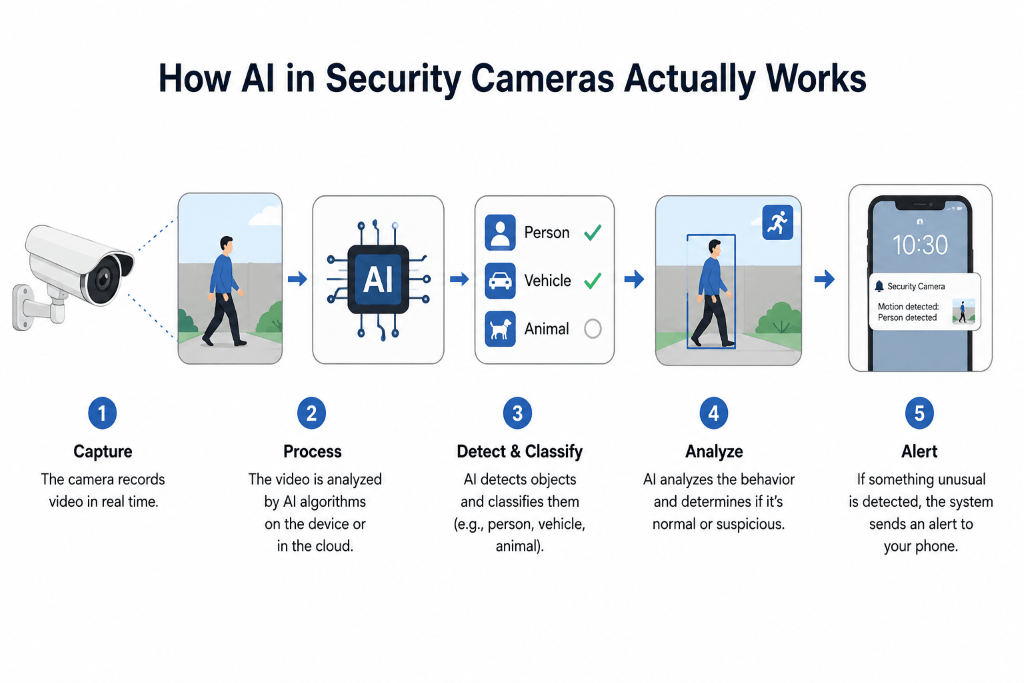
AI-powered cameras rely on machine learning models trained to recognize patterns. That includes faces, movement types, vehicles, and unusual behavior.
Traditional cameras treat everything as equal motion. AI cameras separate important activity from background noise.
Here’s a simple comparison:
| Feature | Traditional Camera | AI Camera |
|---|---|---|
| Motion Detection | Basic movement | Human, vehicle, pet detection |
| Alerts | Frequent & irrelevant | Filtered & smart alerts |
| Search | Manual scrolling | Event-based search |
Real-world example:
A normal camera triggers alerts for a moving tree shadow. An AI camera ignores it but alerts you when a person enters your gate.
Key AI Features You Should Actually Use
Smart Motion Detection
AI identifies whether movement comes from a human, animal, or vehicle. That alone reduces 70–90% of useless notifications.
Mistake people make:
They keep default settings. That defeats the purpose of AI.
Fix:
Customize detection zones and categories.
Facial Recognition
Some advanced systems recognize familiar faces and label unknown visitors.
Scenario:
Delivery guy shows up daily. AI learns and stops flagging him as a threat.
Pro Insight:
Facial recognition works best when cameras are placed at eye level, not too high.
Behavior Analysis
AI tracks patterns, not just movement.
Example:
Someone loitering near your entrance triggers an alert, even without obvious intrusion.
That level of context changes how security works.
How to Use AI in Security Cameras for Better Protection (Step-by-Step)
1. Choose the Right AI Camera
Not all “AI cameras” are truly intelligent. Many brands just add the label.
Look for:
✓ Human and vehicle detection
✓ Custom alert zones
✓ Cloud or local AI processing
✓ Event-based playback
Brands like Google Nest and Ring focus heavily on AI-driven features.
2. Set Detection Zones Properly
Most users skip this step and regret it later.
Your camera shouldn’t monitor everything equally.
Example setup:
• Ignore roads or trees
• Focus on doors, windows, entry points
That small tweak removes unnecessary alerts instantly.
3. Adjust Sensitivity Settings
Too high sensitivity = constant alerts
Too low sensitivity = missed threats
Ideal approach:
Start medium → adjust after 2–3 days of usage
4. Enable Smart Notifications
AI cameras allow filtered alerts.
Instead of:
“Motion detected”
You get:
“Person detected near front door”
That clarity saves time and reduces panic.
5. Use AI Search Instead of Scrolling
One of the most underrated features.
Instead of watching hours of footage, search:
• “Person”
• “Car”
• “Package”
The system pulls exact moments.
Common Mistakes That Reduce AI Effectiveness
Many users install AI cameras but still experience poor results.
Here’s why:
• Camera placed too high
• Poor lighting conditions
• No internet optimization
• Default settings never changed
Real scenario:
A shop owner installed a high-end AI camera but placed it facing sunlight. Detection failed constantly.
Fixing angle alone solved the issue.
📍 Best Placement Strategy for AI Cameras
Correct placement matters more than brand choice.
🚪 Entry Points First
Focus on doors, gates, and windows. These are the most critical areas where intrusions happen.
👁️ Eye-Level Positioning
AI recognition works best when faces are clearly visible, so avoid placing cameras too high.
☀️ Avoid Direct Light Sources
Strong backlighting or direct sunlight can reduce detection accuracy and image clarity.
Checklist for Better Protection
How to Use AI in Security Cameras:
✓ Detection zones customized
✓ Alerts filtered to “human only”
✓ Sensitivity tested and adjusted
✓ Camera angle optimized
✓ Night vision checked
Limitations You Should Know
AI cameras are powerful but not perfect.
• Heavy rain or fog reduces accuracy
• Internet-dependent systems may lag
• Facial recognition may struggle in low light
Contrarian insight:
More features don’t always mean better security. A properly configured basic AI camera often outperforms an expensive poorly set system.
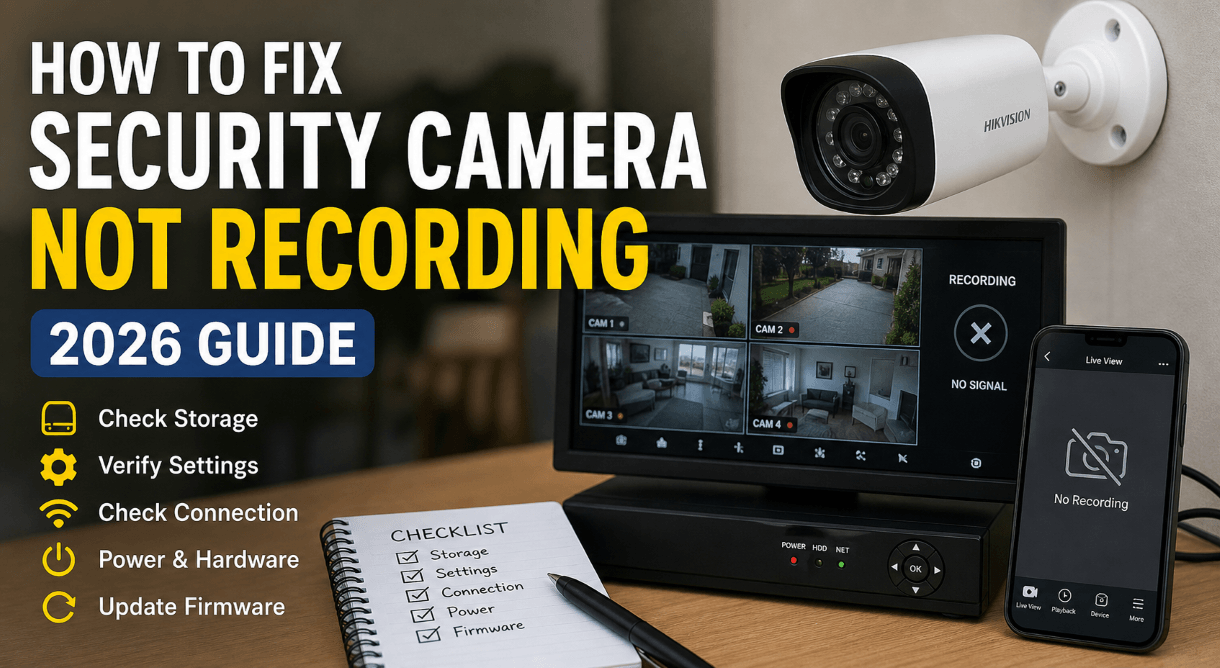
Read Also: Fix Security Camera Not Recording Fast
Real-World Use Case
Small retail store setup:
Owner installed two AI cameras:
• One at entrance
• One inside facing cash counter
Results after setup:
• Theft attempts detected faster
• False alerts reduced by 80%
• Review time dropped from 2 hours to 10 minutes daily
That’s practical impact, not just theory.
Key Takeaways
• AI cameras filter noise and focus on real threats
• Proper setup matters more than expensive hardware
• Detection zones and sensitivity control everything
• Smart alerts save time and reduce stress
Read Also: AI-Powered Surveillance: How It’s Changing Security in India
FAQ: How to Use AI in Security Cameras
What is the biggest advantage of using AI in security cameras for better protection?
AI security cameras filter out irrelevant activity and focus only on meaningful events. Traditional systems send alerts for everything, which creates noise and confusion.
AI changes that by detecting:
• Humans instead of shadows
• Vehicles instead of random motion
• Suspicious behavior instead of normal activity
That leads to faster response and better decision-making.
How does AI reduce false alerts in security cameras?
False alerts usually come from trees, animals, or lighting changes. AI models are trained to recognize patterns and ignore those triggers.
The system identifies:
• Human shapes
• Movement patterns
• Object types
That means fewer useless notifications and more accurate alerts when something actually matters.
Are AI security cameras suitable for home use?
Yes, and that’s where they shine the most.
Home users benefit from:
• Real-time alerts on mobile
• Facial recognition for family members
• Package detection at the doorstep
The system adapts over time, which makes it more effective the longer it runs.
Do AI security cameras require internet to work?
Most AI cameras need internet for:
• Cloud storage
• Remote access
• Smart notifications
Some models still offer local storage, but full AI features usually depend on connectivity.
Is AI surveillance safe for privacy?
Privacy depends on how the system is configured.
Better setups include:
• Encrypted data storage
• Strong password protection
• Local processing (edge AI)
Poor configuration can expose data, so setup matters more than the technology itself.
What features should I look for in an AI security camera?
Focus on practical features, not marketing claims.
Key things that actually matter:
• Human and vehicle detection
• Custom detection zones
• Night vision clarity
• Mobile app control
• Storage options (cloud + local)
These features directly impact real-world performance.
Can AI security cameras work without subscription plans?
Some cameras allow local storage through SD cards or NVR systems.
However, advanced features like:
• Cloud backup
• Smart alerts
• Facial recognition
often require a subscription.
How accurate is facial recognition in AI cameras?
Accuracy depends on camera quality and lighting.
Good systems perform well when:
• Faces are clearly visible
• Lighting conditions are stable
• Angles are not extreme
Low-end cameras struggle with accuracy, so hardware quality plays a big role.
Where should I install AI security cameras for best results?
Placement makes a huge difference.
Focus on:
• Main entrances
• Driveways
• Blind spots
• High-traffic areas
Bad positioning reduces detection accuracy even if the camera is advanced.
Are AI security cameras worth the investment?
The value shows over time.
AI security cameras deliver better long-term protection by reducing false alerts, improving response time, and offering smarter monitoring compared to traditional systems.
Higher upfront cost exists, but the improvement in security and usability justifies it for most users.