
 0
0
 0
0
Have you ever stared at a blank screen while waiting for an important web page to load? That feeling is pure torture. You pay good money for a daily data plan. Your smartphone works perfectly fine when you use apps directly on it. The moment you connect your laptop to your mobile network, everything just crawls to a halt.
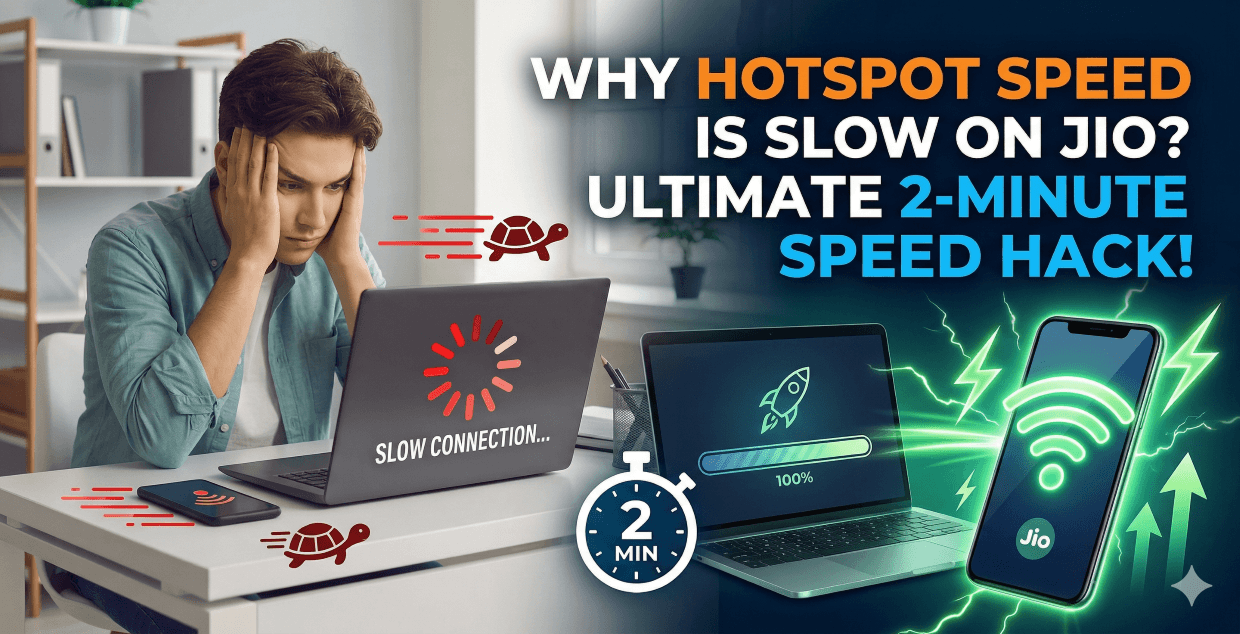
You sit down to finish some urgent work. You connect your devices. Then, nothing happens. The loading bar just sits there mocking you. You are left scratching your head and asking exactly Why hotspot speed is slow on Jio. We completely understand this daily struggle.
Here is a quick guide on what we will cover today. First, we will uncover the hidden, everyday reasons behind this massive speed drop. Next, we will share a quick checklist to identify your exact problem.
Finally, we will give you actionable steps to get your speed back to normal. Grab your phone, and let us solve this issue together right now.
The Main Reasons: Why Hotspot Speed is Slow on Jio
Your internet connection relies on several moving parts. A problem with just one of these parts ruins the entire experience. Let us break down the most common culprits behind your slow internet.
The Daily Data Limit Trap
Jio offers great daily data plans. Most of us use the 1.5GB or 2GB daily options. Laptops and tablets consume data much faster than mobile phones.
Your phone loads tiny, mobile-optimized versions of websites. Your computer loads the heavy, full-resolution versions.
A single high-definition video can easily eat half your daily limit in minutes. Jio immediately slashes your speed to a painful 64 Kbps the second you cross that threshold.
Heavy Background Tasks
You might just want to check a quick email or send a text document. Your internet suddenly stops working properly.
You sit there wondering Why hotspot speed is slow on Jio, completely unaware that your own computer is the actual problem. Laptops love to download massive system updates in the background. Cloud apps constantly sync large files without asking you first.
Even if you are just uploading a heavy Framer design file or exporting a video edit from CapCut, background apps will steal all your available bandwidth.
The Overheating Factor
Broadcasting a Wi-Fi signal is very hard work for a small smartphone. The internal processor and the battery work overtime to share the connection. This causes the device to heat up quickly. Modern smartphones are smart.
They protect themselves from extreme heat. They intentionally slow down performance to prevent internal damage. A boiling hot phone will always give you a terrible internet connection.
Network Traffic Jams
Imagine a busy highway during the evening rush hour. Cars move at a snail’s pace. The exact same thing happens with internet cell towers. You might want to stream a cricket match at 8 PM.
Half of your neighborhood is trying to do the exact same thing on the local tower. The network gets overloaded. It must share the connection among everyone.
Your individual speed takes a massive hit during these peak hours.
The Invisible Wi-Fi Interference
Most phones send out their Wi-Fi signal on a 2.4 GHz frequency. This is a very crowded invisible lane. Your wireless mouse, Bluetooth speakers, and your neighbor’s router all use this same frequency lane.
The signals crash into each other constantly. This interference is a major reason why your connection drops out or slows down unexpectedly.
Read Also: Jio Phone Hotspot Not Working? Fix in 2 Minutes
Quick Troubleshooting Checklist
We put together a handy table for you. Keep this checklist in mind the next time your internet starts acting up. You can usually find the problem in just a few seconds.
| Problem You See | What to Check First | The Quick Solution |
|---|---|---|
| Pages will not load at all | Did you cross your daily limit? | Open the MyJio app and check your data balance. |
| The phone feels like fire | Is your device overheating? | Remove the case and place it on a cool table. |
| Speed drops randomly | Are other devices stealing data? | Disconnect unused tablets or smart TVs immediately. |
| Massive evening lag | Is the local tower congested? | Switch to a direct USB cable connection. |
| Weak signal on laptop | Is your computer too far away? | Move the laptop within 3 feet of your phone. |
Actionable Steps to Boost Your Speed Right Now
You know the main causes now. Let us move on to the actual solutions. These simple steps will help solve the mystery of Why hotspot speed is slow on Jio for good.
✅ Step 1: The Classic Power Cycle
Turn off your mobile hotspot completely. Turn off the Wi-Fi on your computer. Restart your smartphone entirely. This clears out all the digital cobwebs in the system cache. It forces your phone to disconnect from a weak tower and find a fresh, strong signal nearby.
✅ Step 2: Turn On Metered Connection
This is a brilliant trick for laptop users. Go to your laptop Wi-Fi settings. Click on your Jio network name. Turn on the switch that says “Set as metered connection”. This tells your computer that you are on a strict data diet.
It instantly stops all those hidden background updates. It saves your precious speed for actual work.
✅ Step 3: Kick Off Unwanted Devices
You turn on your mobile network to work on a project. Your smart TV connects instantly in the living room. Your kid might be watching videos on a tablet in the next room. Every connected device takes a massive slice of your speed.
Go into your phone’s hotspot settings. Look at the connected devices list. Disconnect anything you do not absolutely need right now. You can also change the maximum allowed connections to just one device.
✅ Step 4: Switch the Frequency Band
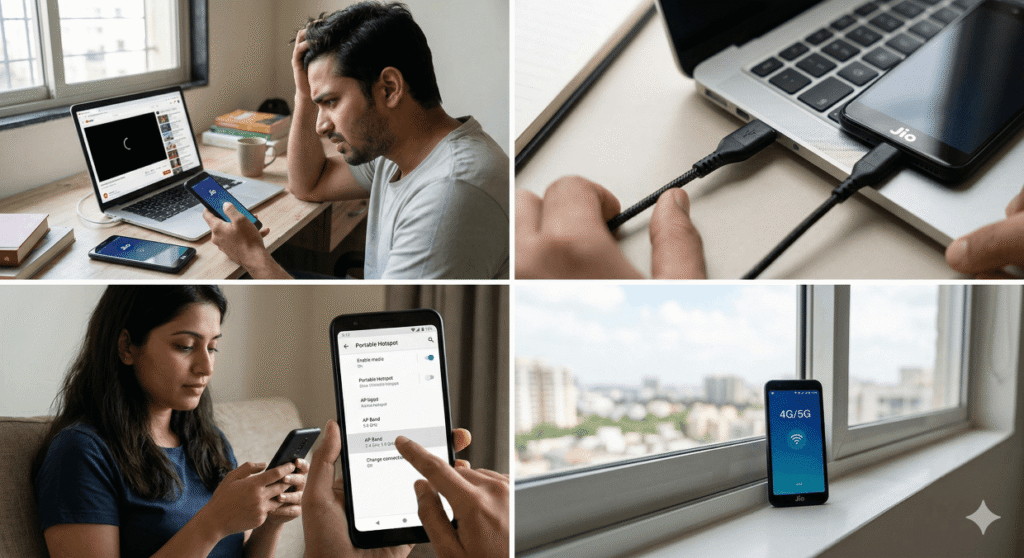
Newer smartphones let you change how the Wi-Fi signal is broadcasted. Open your hotspot settings and look for the “AP Band” option. Change it from 2.4 GHz to 5.0 GHz. This 5.0 GHz lane is much faster and completely empty of interference.
This simple tweak is often the best answer when people ask Why hotspot speed is slow on Jio during busy evenings. Just remember to keep your laptop very close to the phone when using this 5.0 GHz setting.
✅ Step 5: Use a Direct USB Cable
Wireless signals are naturally weak. They are easily blocked by walls or thick wooden doors. You can bypass all of that interference with a simple wire. Grab your phone’s charging cable. Plug one end into the phone and the other into your computer. Go to your phone settings and search for “USB Tethering”. Turn it on.
This creates a direct physical bridge for the internet. It is incredibly fast and super stable. It also keeps your phone battery charged while you work.
Advanced Network Tweaks for Maximum Speed
Sometimes the basic steps are not quite enough. You can dive a little deeper into your phone settings for extra speed. These advanced tricks only take a minute to set up.
✅ Reset Your APN Settings
The Access Point Name is the gateway between your phone and the internet. Sometimes this gateway gets corrupted or outdated.
Go to your phone settings and find the Mobile Networks section. Look for APN settings. Tap the menu dots and choose “Reset to Default”.
Your phone will automatically grab the freshest network settings straight from the Jio provider servers.
✅ Change Your DNS Server
Your computer uses a directory to find websites. The default directory is sometimes very slow to respond. You can change this in your computer’s network settings. Use a free, fast public directory like Google DNS.
You simply change the DNS numbers to 8.8.8.8 and 8.8.4.4. This makes web pages pop up noticeably faster on your screen.
✅ Check Your Physical SIM Card
We often forget about the actual piece of plastic inside the phone. SIM cards undergo physical wear and tear over the years.
The gold contacts degrade if your SIM is very old. A scratched or dirty SIM card struggles to hold a stable network connection.
Visit a local Jio store and request a replacement SIM with the same number. A fresh card often provides a surprising boost in network stability.
Frequently Asked Questions
Does keeping the phone screen on help the speed?
No. Keeping the screen on actually makes the problem worse. The screen uses a massive amount of battery power. It also generates extra heat. You want your phone to stay as cool as possible while broadcasting a signal. Turn the screen off and leave the phone alone.
Will a 5G phone make my laptop internet faster?
Yes. A 5G phone connects to much faster towers. It can easily pull down hundreds of megabits per second. Your laptop will feel like it is connected to a premium home broadband router. You just need to ensure your area actually has stable 5G coverage first.
Can a thick phone case ruin my signal?
Absolutely. Heavy-duty cases with metal parts block radio waves easily. Thick rubber cases trap heat against the battery. Heat forces the phone to slow down its processing power. Remove thick cases when you plan to use the internet for a long work session.
Enjoy Your Fast Internet Again
Your internet connection should never hold you back from getting things done. Small changes make a massive difference in your daily browsing experience. Keep an eye on your daily data balance through the MyJio app.
Use a charging cable for a direct connection when you really need total stability. Stop your laptop from downloading massive updates while you are trying to work.
You have all the tools you need to figure out exactly Why hotspot speed is slow on Jio and put a permanent stop to it. Take a few minutes to try these simple tweaks today. You will notice a much smoother and faster internet connection almost immediately.
Enjoy surfing the web without the endless frustration of buffering screens.