
 0
0
 0
0
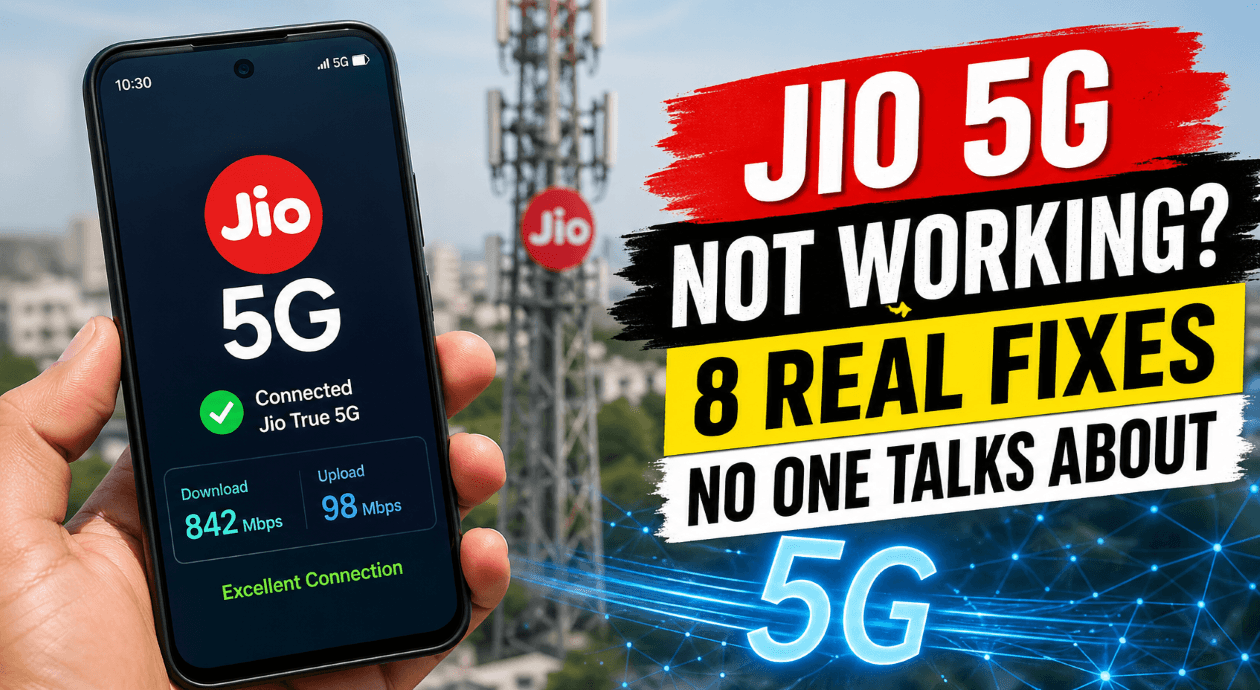
You turned on 5G expecting blazing speeds… but instead, you’re stuck with slow internet or no signal at all.
Frustrating, right? You’re not alone. Thousands of users face the “Jio 5G not working” issue daily—even in areas where 5G is supposedly available.
The good news?
Most of these problems are fixable within minutes—if you know where to look.
This guide breaks down 8 underrated fixes that actually work (not the usual “restart your phone” advice).
⚡ Jio 5G Not Working – Quick Answer
If Jio 5G isn’t working:
- Check coverage
- Enable 5G settings
- Ensure phone supports SA bands
- Activate Welcome Offer
- Update software
👉 Most issues fix within 5 minutes.
1. Check If You’re Truly in a 5G Coverage Zone
Just because your city has 5G doesn’t mean your exact location does.
Jio rolls out 5G in micro-zones, not entire cities.
What you should do:
- Visit the official Jio coverage map
- Move near:
- Open areas
- Windows or balconies
- Higher floors
👉 Reality check: Even a 200-meter shift can change your signal strength dramatically.
2. Your Phone Might Not Support Jio True 5G (Fully)
Here’s the truth no one tells you:
Not all “5G phones” support Jio’s standalone (SA) 5G network.
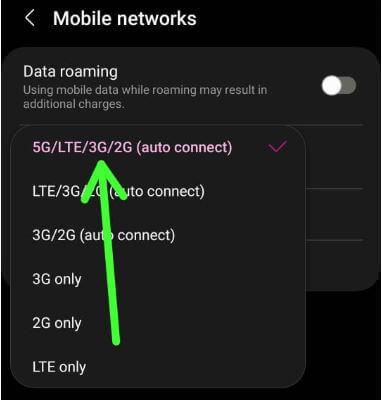
You need:
- Bands: n28, n78
- SA (Standalone) compatibility
Common issue:
Some phones only support NSA (Non-Standalone) → Jio uses SA → Result = No 5G
✔ Quick Fix:
- Check your phone specs
- Update software (important!)
3. Jio Welcome Offer Not Activated
Jio 5G isn’t automatically available to everyone.
You must be eligible for the Welcome Offer.
Signs you’re NOT eligible:
- No 5G option in settings
- No 5G icon even in coverage area
✔ Fix:
- Open MyJio app
- Check “Jio Welcome Offer” section
- Recharge with ₹239+ plan
4. Your SIM Card Might Be the Problem
Yes, even if it says “4G SIM”.
Old SIM cards can cause:
- No 5G detection
- Network instability
✔ Fix:
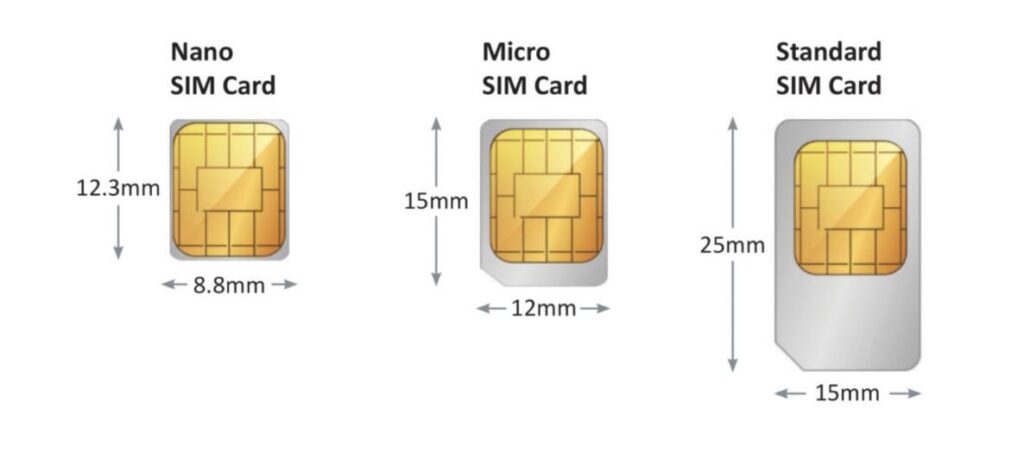
- Visit nearest Jio store
- Upgrade to latest SIM (free or minimal cost)
5. 5G Is Disabled in Your Phone Settings
Many users miss this simple but critical setting.
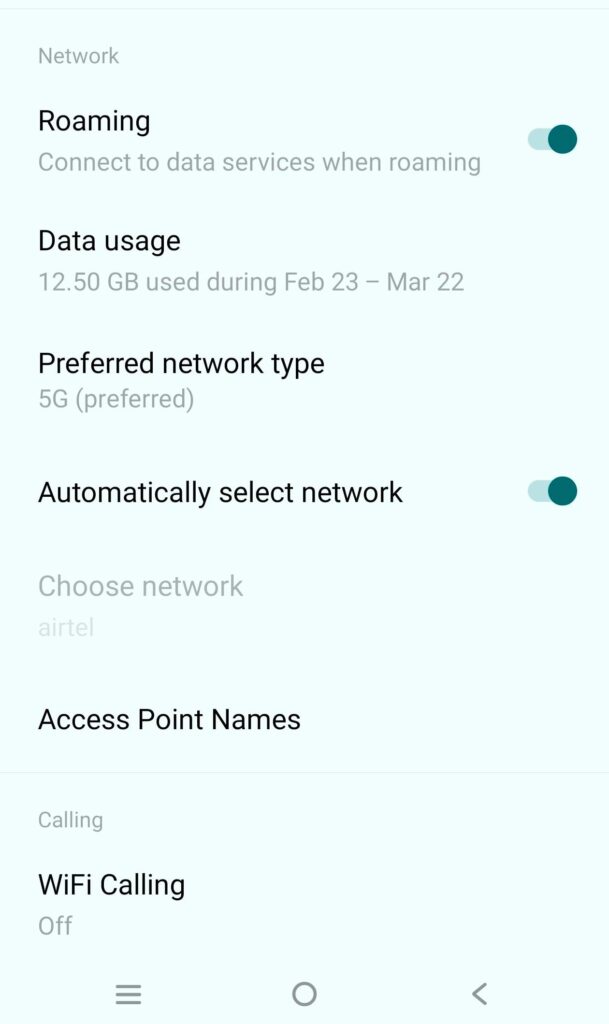
✔ How to Enable 5G:
On Android:
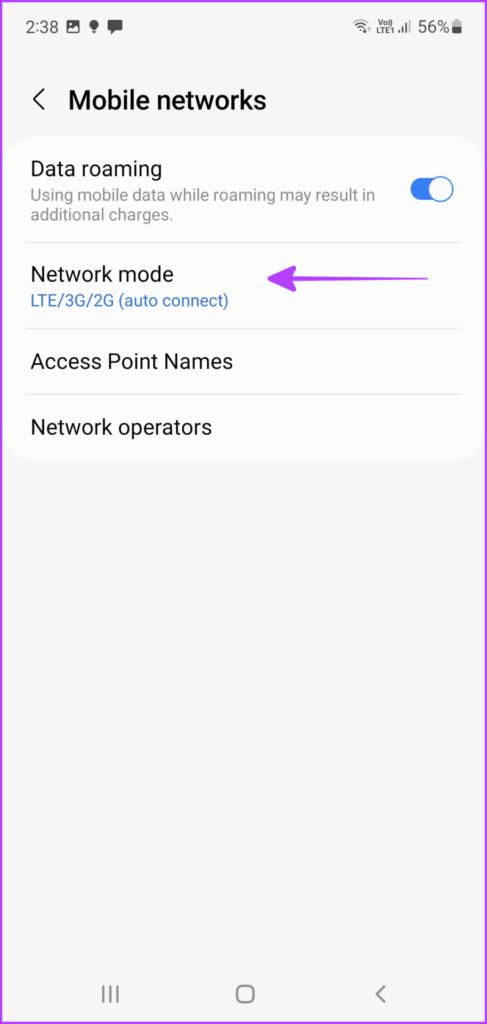
- Settings → Mobile Network
- Preferred Network Type → Select 5G/Auto
On iPhone:
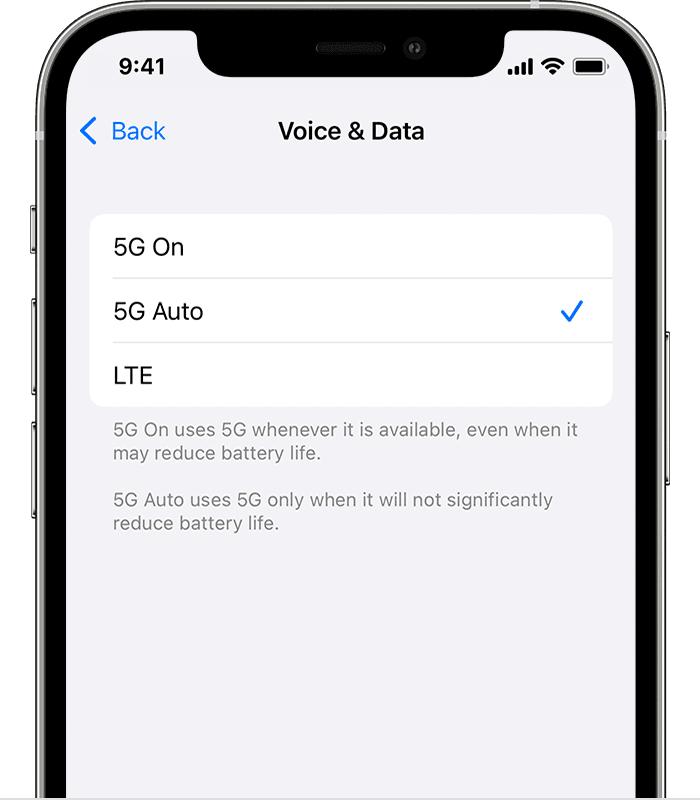
- Settings → Cellular → Voice & Data → Select 5G Auto
👉 Important: Some phones default to 4G to save battery.
Read Also: Jio Phone Hotspot Not Working? Fix in 2 Minutes
6. APN Settings Are Incorrect (Hidden Issue)
Incorrect APN = No proper network handshake.
✔ Correct Jio APN Settings:
- Name: JioNet
- APN: jionet
- Bearer: LTE/NR
Steps:
- Go to Mobile Network → Access Point Names
- Reset to default OR manually configure
7. Software Bugs Are Blocking 5G
Manufacturers frequently release updates to enable proper 5G support.
✔ Fix:
- Go to Settings → Software Update
- Install latest version
👉 Many users reported 5G started working immediately after updating.
8. Network Congestion (The Hidden Killer)
This is the most ignored reason.
Even if 5G is working:
- Too many users = slow speeds
- Peak hours = unstable connection
✔ Fix:
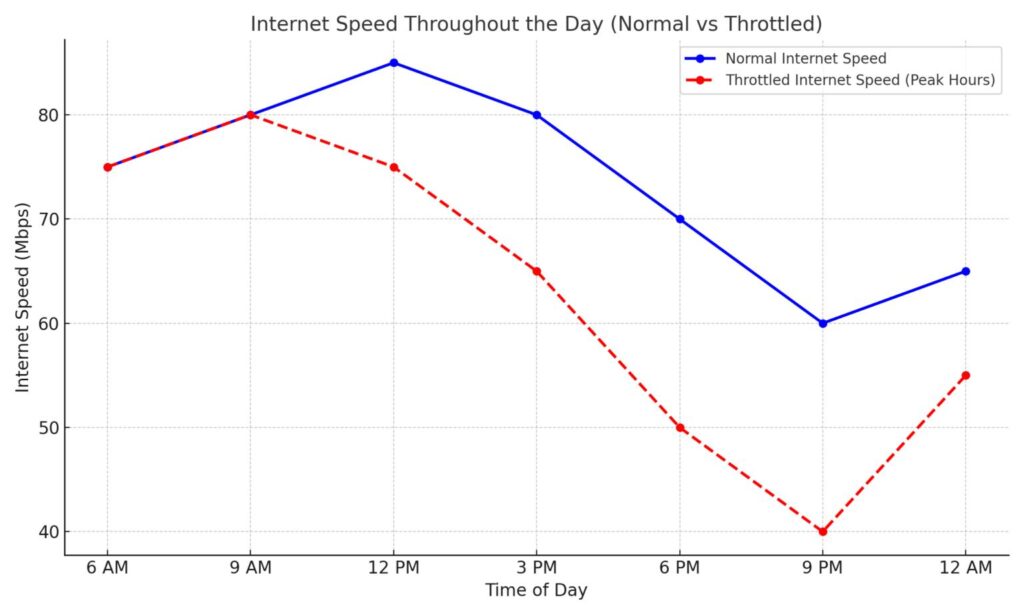
- Use 5G during:
- Early morning
- Late night
- Switch airplane mode ON/OFF
- Move to less crowded areas
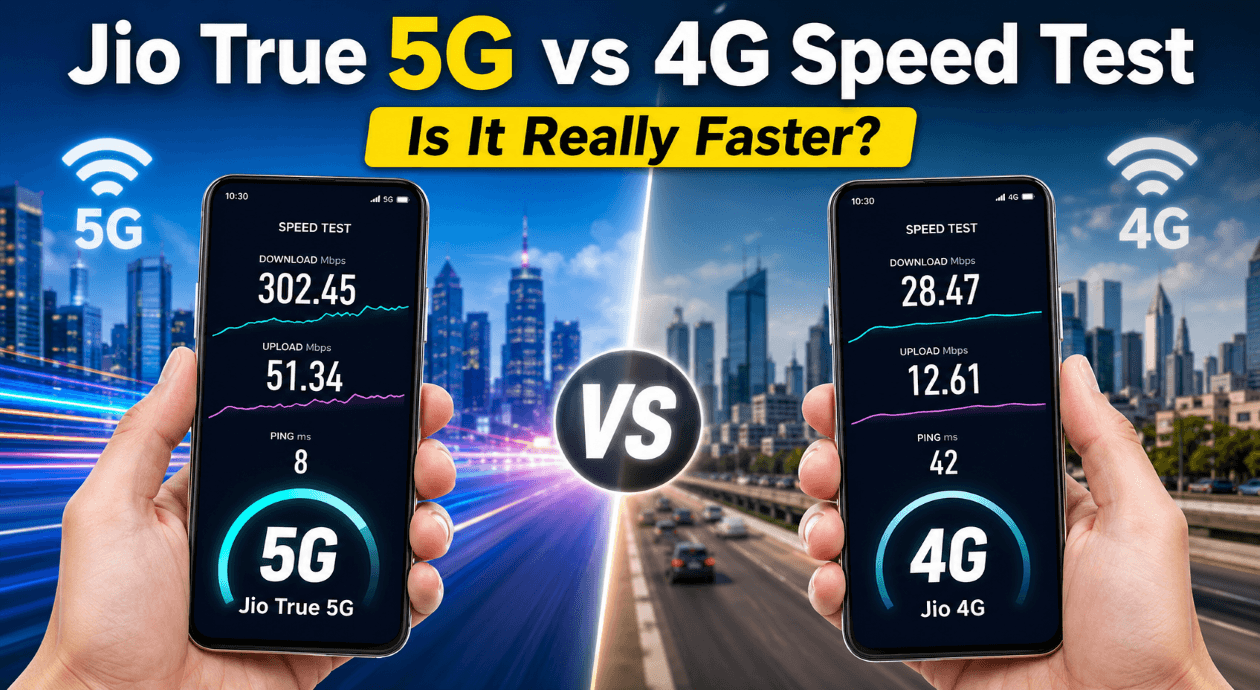
4G vs 5G Speed Comparison
| Feature | 4G LTE | Jio 5G |
|---|---|---|
| Speed | 10–50 Mbps | 200–1000 Mbps |
| Latency | High | Ultra-low |
| Streaming | HD | 4K/8K Ready |
| Gaming | Moderate | Seamless |
| Downloads | Slow | Instant |
Read Also: Why hotspot speed is slow on Jio? The Ultimate 2-Minute Speed Hack!
✅ Quick Fix Checklist
Use this if you’re in a hurry:
- Check 5G coverage in your exact location
- Confirm phone supports Jio SA bands
- Activate Jio Welcome Offer
- Enable 5G in settings
- Update phone software
- Reset APN settings
- Replace old SIM
- Avoid peak congestion times
Pro Tip Most People Miss
Even if everything is correct…
👉 Your phone may lock onto a weak 5G signal instead of strong 4G.
Solution:
Switch between:
- 5G Auto
- 4G/5G manual
This forces a better connection.
Read Also: Laptop Connected to Jio Hotspot But No Internet (5 Real Fixes)
Common Mistakes That Keep Jio 5G From Working
Most users unknowingly block their own 5G.
Avoid these:
- Keeping battery saver ON (limits 5G)
- Using dual SIM with non-5G secondary SIM
- Not restarting after enabling 5G
- Staying indoors with thick walls
- Ignoring carrier updates
👉 Fixing just one of these can instantly restore 5G.
What Real Jio 5G Speeds Look Like
Typical results users report:
- Download: 300–900 Mbps
- Upload: 50–150 Mbps
- Ping: 10–30 ms
👉 If you’re getting below 50 Mbps → something is wrong.
Hidden Engineer Mode Trick (Android Only)
This is rarely talked about.
- Dial:
*#*#4636#*#* - Open “Phone Information”
- Set Preferred Network Type → NR Only / NR-LTE
⚠️ Use carefully—can affect stability.
Still Not Working? Do This
If you tried everything:
- Contact Jio support via MyJio app
- Visit Jio Store
- Ask for:
- Network refresh
- SIM reprovisioning
👉 This solves backend issues.
FAQs: Jio 5G Not Working
Why is Jio 5G not working on my phone even in a 5G area?
This usually happens because 5G coverage is not evenly distributed within a city. Even if your area is marked as “covered,” your exact spot—like indoors or on a lower floor—might not receive a strong signal. It can also be due to your phone lacking proper 5G band support or your SIM not being fully compatible.
How can I activate Jio 5G on my number?
To activate Jio 5G, you need to be eligible for the Welcome Offer. Open the MyJio app and check your eligibility status. If eligible, make sure you’re on a recharge plan of ₹239 or above, then enable 5G in your phone’s network settings. In most cases, activation happens automatically once these conditions are met.
Why is Jio 5G showing but internet is not working?
This is a common issue and usually points to a weak or unstable connection. Your phone might be connected to a low-strength 5G signal, which results in no usable internet. Switching airplane mode on and off, resetting APN settings, or moving to a more open area often resolves the problem.
Does Jio 5G work on all 5G phones?
Not necessarily. Many phones marketed as “5G” only support non-standalone (NSA) networks, while Jio primarily operates on standalone (SA) 5G. If your device doesn’t support the required bands like n28 or n78, you may not be able to access Jio 5G at all.
Why is my Jio 5G speed slow compared to others?
Slow speeds are often caused by network congestion, especially during peak hours. Your location, distance from the tower, and physical obstructions like walls can also impact performance. Trying the connection during off-peak hours or moving to a different spot can significantly improve speeds.
Do I need to replace my SIM to use Jio 5G?
In most cases, existing Jio SIMs work fine. However, if your SIM is very old, it may not support optimal 5G performance. Upgrading to a newer SIM from a Jio store is a quick and simple fix that can eliminate compatibility issues.
Final Thoughts
Jio 5G issues aren’t random—they’re usually caused by specific, fixable problems. The difference between slow internet and blazing speeds often comes down to:
- One setting
- One update
- Or one overlooked detail
Fix those, and your 5G should work exactly as promised.