
 0
0
 0
0
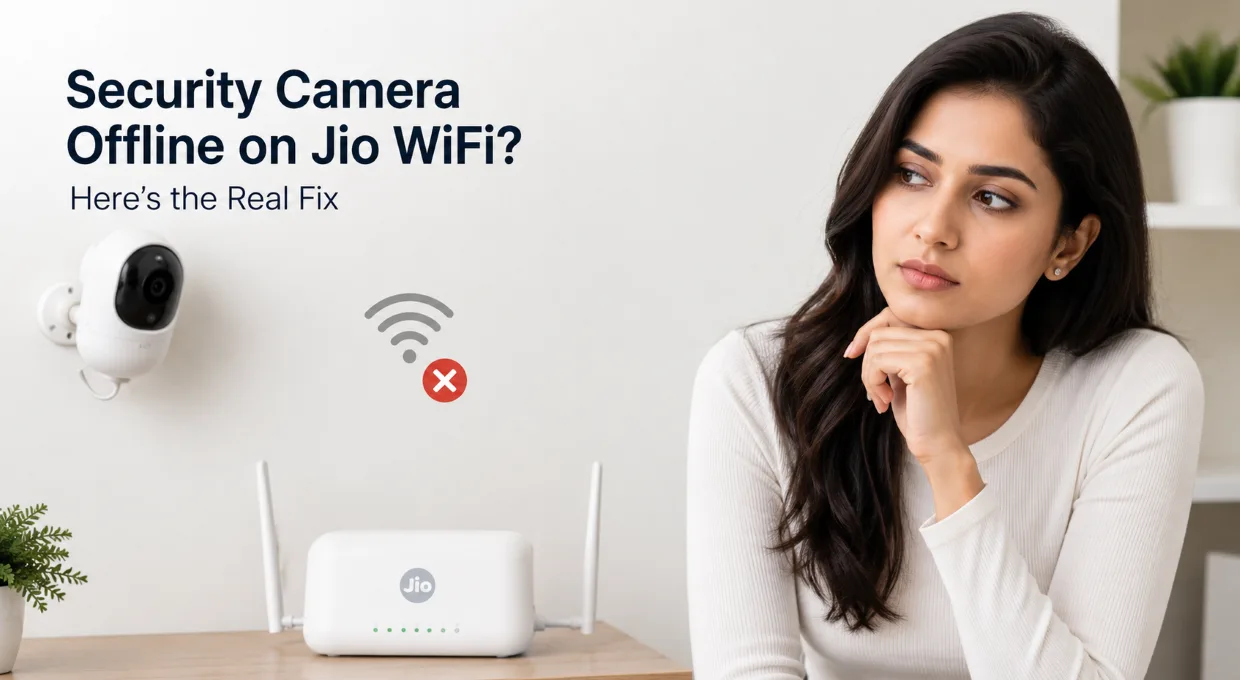
Your security camera says “offline,” but the WiFi is working perfectly on your phone. That’s the part that frustrates most people. A lot of JioFiber users deal with this issue, especially after a router restart, power cut, firmware update, or random network fluctuation. The camera suddenly disappears from the app, stops recording, or refuses to reconnect.
Most guides blame the camera immediately. Realistically, the issue usually starts from the Jio router settings, weak 2.4GHz handling, IP conflicts, or smart network switching.
📹 Quick Summary
Security cameras need stable WiFi connections for reliable monitoring, but certain Jio router settings can silently cause frequent disconnects and offline issues.
Why Security Camera Offline on Jio WiFi
Most WiFi security cameras depend heavily on stable 2.4GHz connectivity. Jio routers often combine both 2.4GHz and 5GHz into one smart network name. That sounds convenient, but many cameras struggle with it.
Common symptoms include:
- Camera appears offline in the app
- Live view keeps buffering
- Recording stops randomly
- Camera reconnects after reboot only
- Nighttime disconnects happen more often
Cheap cameras face this problem more frequently, but even premium brands run into issues on default Jio router settings.
The Most Common Reasons Behind the Problem
1. Jio Router Smart Band Switching
Many cameras only support 2.4GHz WiFi.
JioFiber routers often auto-switch devices between 2.4GHz and 5GHz under one SSID. Phones handle this smoothly. Cameras usually don’t.
The result:
- Camera gets confused during reconnection
- Device authentication fails
- Camera shows offline repeatedly
2. Weak Signal Near the Camera
A camera may show full signal during daytime but disconnect at night.
Walls, mirrors, metal doors, and even microwaves affect WiFi stability more than people expect.
One common mistake:
People test WiFi speed near the router instead of near the camera.
That completely changes the result.
🧠 Pro Insight
A security camera does not require extremely high internet speed to function properly. In most cases, stable WiFi signal strength matters far more than raw Mbps performance.
Many “offline camera” problems happen on fast internet connections where WiFi coverage is weak, unstable, or overloaded.
Fix Security Camera Offline on Jio WiFi
Separate 2.4GHz and 5GHz Networks
This fix alone solves the problem for many users.
Open your Jio router settings and create separate WiFi names for:
- 2.4GHz
- 5GHz
Then connect the camera only to the 2.4GHz network.
Steps
- Open router admin page
- Login with router credentials
- Find WiFi settings
- Disable “Smart Connect” or “Band Steering”
- Rename both bands separately
- Reconnect the camera manually
| Setting | Recommended | Avoid |
|---|---|---|
| WiFi Band | 2.4GHz | Auto Switching |
| SSID | Separate Names | Single Combined SSID |
| Security | WPA2 | Mixed WPA/WPA3 |
Restarting Isn’t Enough — Reset the Network Properly
Most people simply reboot the camera.
That rarely fixes the actual issue.
A better method works like this:
✅ Turn off the camera
✅ Restart Jio router completely
✅ Wait 3 minutes
✅ Turn camera back on
✅ Reconnect through app setup
That sequence clears temporary IP conflicts.
IP conflicts happen more often after:
- Power cuts
- Router firmware updates
- Multiple smart devices reconnecting together
Change These Jio Router Settings
Disable AP Isolation
Some Jio routers enable client isolation features automatically.
That blocks local communication between:
- Camera
- Mobile app
- NVR system
The camera may technically stay online but refuse live viewing.
Look for:
- AP Isolation
- Wireless Isolation
- Device Separation
Turn them OFF.
Read Also: Fix Security Camera Not Recording Fast
Set WiFi Channel Manually
Auto-channel selection sounds smart, but many routers switch channels aggressively.
Security cameras hate sudden channel changes.
Recommended:
- Channel 1
- Channel 6
- Channel 11
Stick to one stable channel.
Camera Keeps Disconnecting at Night?
This usually points toward:
- Weak signal
- Power saving issue
- Infrared interference
- Router overheating
A surprisingly common issue in Indian homes:
The router gets placed inside a TV cabinet or closed shelf.
Heat builds up over time and WiFi stability drops badly at night.
Read Also: How to install solar CCTV camera: 67% Safer Homes (No Electric Bills!)
Cheap Cameras vs Premium Cameras on JioFiber
Some cameras simply handle unstable WiFi better.
Budget cameras often:
- Lose authentication sessions
- Fail reconnect attempts
- Depend heavily on cloud relay servers
Premium models generally recover faster after network interruptions.
| Feature | Budget Camera | Premium Camera |
|---|---|---|
| Reconnect Stability | Weak | Reliable |
| Firmware Updates | Rare | Frequent |
| Signal Handling | Basic | Better Optimization |
Decision Guide
| Situation | Best Fix |
|---|---|
| Camera disconnects randomly | Separate 2.4GHz network |
| Offline after power cut | Full network reset sequence |
| No live view but camera online | Disable AP Isolation |
| Night disconnects | Improve signal and router ventilation |
Firmware Updates Matter More Than People Think
Camera manufacturers quietly fix:
- WiFi compatibility bugs
- Reconnection failures
- Cloud sync problems
Old firmware versions often struggle specifically with newer routers.
Check:
- Camera app updates
- Router firmware updates
- Security patch versions
One outdated device can break the entire setup experience.
When You Should Consider a WiFi Extender
Large homes usually create dead zones.
A WiFi extender helps if:
- Camera sits more than 2 rooms away
- Signal drops below medium strength
- Live feed buffers constantly
Placement matters more than people realize.
Bad placement:
- Next to camera
Correct placement:
- Midway between router and camera
Security camera offline on Jio WiFi problems usually come down to router behavior, unstable wireless settings, or poor signal consistency. Once the network becomes predictable and stable, most cameras reconnect normally and stay online for weeks without interruption.
FAQ: Security Camera Offline on Jio WiFi
Why does my security camera keep going offline on JioFiber?
The most common reason is WiFi instability on the 2.4GHz band. Many Jio routers combine 2.4GHz and 5GHz into one network name, and several CCTV cameras fail to reconnect properly after switching bands.
Other possible causes include:
- Weak signal near the camera
- Router channel switching
- IP conflicts
- Outdated camera firmware
- AP Isolation settings
Separating the WiFi bands usually fixes the issue quickly.
Does JioFiber support security cameras properly?
Yes, JioFiber works fine with most WiFi security cameras.
Problems usually happen because of:
- Default router configuration
- Smart band steering
- Weak indoor coverage
- Cheap camera firmware limitations
A properly configured Jio router can run multiple cameras without major issues.
Which WiFi band is best for CCTV cameras?
2.4GHz works best for most security cameras.
Reasons:
- Better wall penetration
- More stable long-range connection
- Wider compatibility with budget cameras
| WiFi Band | Best For | Limitation |
|---|---|---|
| 2.4GHz | CCTV Cameras | Lower speed |
| 5GHz | Streaming & Gaming | Shorter range |
Why does my camera go offline after a power cut?
Power cuts often create IP conflicts.
The router and camera reconnect at different times, and the camera may fail to get a valid IP address from the router.
A full restart sequence usually solves it:
- Turn off camera
- Restart Jio router
- Wait 2–3 minutes
- Turn camera back on
- Reconnect if needed
Many users skip the waiting part, and that causes the issue to return.
Can weak WiFi signal cause CCTV offline problems?
Absolutely.
Even if the camera connects initially, unstable signal strength can cause:
- Random disconnects
- Delayed notifications
- Buffering live feed
- Recording interruptions
One practical test helps:
Stand exactly where the camera is installed and check your phone’s WiFi strength there.
A weak signal on your phone usually means the camera struggles even more.
Should I use a WiFi extender for security cameras?
A WiFi extender helps in larger homes or multi-floor setups.
Good situations for an extender:
- Camera far from router
- Thick concrete walls
- Outdoor installation
- Frequent signal drops
Poor placement ruins extender performance.
Correct placement:
Halfway between the router and camera.
Now here’s something many people overlook.
Does internet speed affect security camera stability?
Not as much as people think.
A camera mainly needs:
- Stable connection
- Low interruption
- Consistent WiFi signal
Even a 30 Mbps plan can handle several cameras smoothly.
Unstable WiFi causes more problems than slow internet.
Why does the live feed fail while the camera stays online?
That usually points toward:
- AP Isolation enabled
- Cloud server delay
- App synchronization issue
- Router firewall restriction
The camera technically remains connected but blocks local communication with your phone or NVR.
Disabling AP Isolation often fixes this immediately.
Which router settings improve camera stability on Jio WiFi?
Recommended settings:
✓ Separate 2.4GHz and 5GHz names
✓ WPA2 security mode
✓ Fixed WiFi channel
✓ AP Isolation disabled
✓ Updated firmware
✓ DHCP enabled
Avoid aggressive “smart optimization” features unless necessary.
Do cheap security cameras disconnect more often?
In many cases, yes.
Budget cameras often use:
- Lower-quality WiFi chips
- Weak firmware optimization
- Unstable cloud services
Premium cameras generally reconnect faster after:
- Power cuts
- Router restarts
- Temporary internet drops
That difference becomes noticeable after long-term use.
How do I know if my Jio router is causing the issue?
A simple test helps. Connect the camera temporarily to:
- Mobile hotspot
- Another WiFi router
If the camera works normally there, the issue likely comes from:
- Router settings
- Signal coverage
- WiFi band configuration
That test saves a lot of unnecessary troubleshooting.
Can too many smart devices affect CCTV connectivity?
Yes. Smart TVs, phones, speakers, and IoT devices compete for WiFi resources.
Overloaded routers may:
- Drop low-priority devices
- Delay reconnect attempts
- Cause intermittent camera offline problems
Older Jio routers struggle more when:
- 15–20+ devices stay connected continuously
Is Ethernet better than WiFi for security cameras?
Wired Ethernet remains the most stable option.
Advantages:
- No signal interference
- Lower latency
- Better long-term reliability
- Stable recording performance
WiFi cameras offer convenience, but wired setups still dominate in professional CCTV installations.