
 0
0
 0
0
Most smart lights look impressive for the first few days. Then reality kicks in. Half the automations stop feeling useful, voice commands fail randomly, and people end up switching lights manually again.
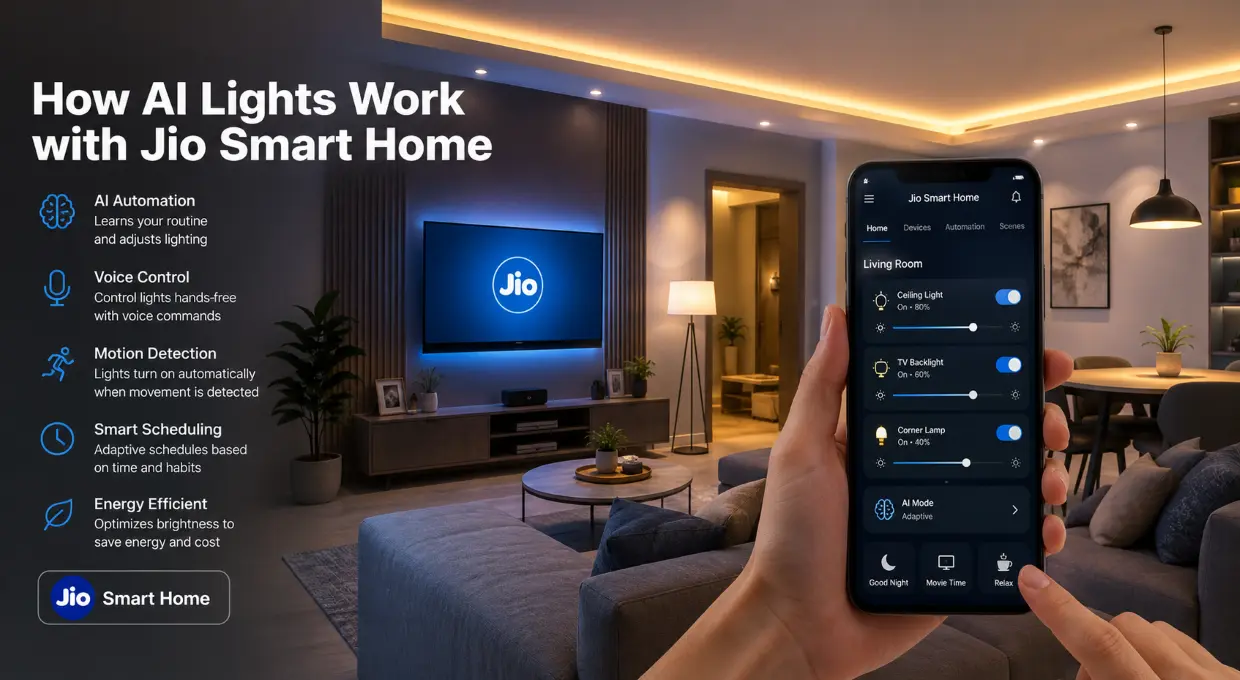
That’s exactly why many users started looking into how AI Lights work with Jio Smart Home. The goal isn’t flashy automation anymore. People want lighting that reacts naturally, saves power, and doesn’t require constant tweaking.
A properly connected smart lighting setup can actually change how a home feels — especially when routines, motion detection, and voice control start working together smoothly.
What Are AI Lights in a Smart Home Setup?
AI Lights are smart lighting systems that react based on behavior, schedules, movement, or commands instead of simple manual switching.
How AI Lights Work with Jio Smart Home
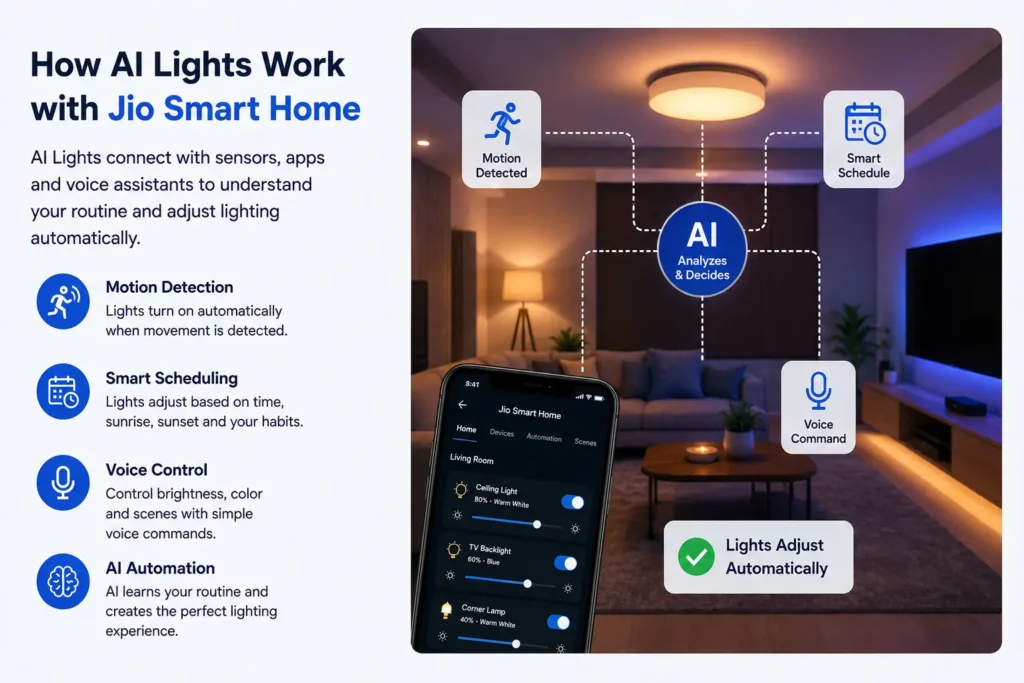
The core system depends on connectivity between smart lights, the home network, and the automation platform.
A trigger could be:
- Motion detection
- Sunset timing
- Voice command
- Sleep schedule
- Phone location
- TV activity
For example:
A hallway light can turn ON automatically after 11 PM at low brightness instead of full intensity.
That tiny detail feels surprisingly useful during late-night movement.
Why AI Lighting Feels Smarter Than Regular Automation
Basic automation follows fixed rules.
AI lighting adapts based on patterns.
That difference matters more than most marketing pages explain.
A standard smart bulb setup might switch ON every evening at 7 PM.
An AI-based setup can notice:
- Nobody is home
- Weather conditions changed
- Room brightness is already enough
- Sleep routines shifted
Then it adjusts behavior automatically.
That creates fewer unnecessary actions and a much smoother experience overall.
Key Features of AI Lights with Jio Smart Home
Voice Control Integration
Many users connect lighting with voice assistants for hands-free control.
Examples:
- “Turn off bedroom lights”
- “Movie mode ON”
- “Dim dining lights to 40%”
The convenience becomes noticeable during multitasking or late-night use.
Motion-Based Lighting
This feature works especially well in:
- Bathrooms
- Hallways
- Kitchens
- Staircases
Lights activate only when movement is detected.
Electricity savings become more noticeable over several months.
Smart Scheduling
One underrated feature is adaptive scheduling.
Instead of fixed timers, AI routines can adjust according to:
- Sunrise/sunset
- User habits
- Sleep timing
- Presence at home
A lot of users realize fixed schedules become annoying after lifestyle changes.
Adaptive routines solve that problem.

AI Lights vs Traditional Smart Lights
| Feature | Traditional Smart Lights | AI Lights with Smart Automation |
|---|---|---|
| Control | Manual app control | Behavior-based automation |
| Scheduling | Fixed timing | Adaptive routines |
| Energy Efficiency | Moderate | Higher optimization |
| Motion Detection | Limited | Smart occupancy sensing |
| Learning Behavior | No | Yes |
Now here’s where things get more practical.
Common Mistakes People Make During Setup
Poor Wi-Fi Placement
Smart lights depend heavily on stable connectivity.
Too Many Automations
A lot of beginners automate everything immediately.
That creates confusion fast.
Lights turning ON unexpectedly at 2 AM gets annoying very quickly.
A cleaner setup works better:
- Entry automation
- Night lighting
- Sleep mode
- Motion lighting
That’s usually enough for most homes.
Ignore Manual Switch Behavior
Traditional wall switches can interrupt smart bulb functionality if switched OFF physically.
Many users forget this during installation.
Smart switches or hybrid setups solve this issue much better.
Best Areas to Use AI Lights in Indian Homes
Here are the best places to use AI lights in your home. You don’t need these smart lights in every single room! They work best in these spaces:
Bedroom
It is so nice to have warm, dim lights when you are getting ready for bed. You can even set them to turn off automatically when it is time to sleep!
Living Room
This is the best spot for movie nights! You can make the lights dim down like a real cinema with just one click, which feels super cool.
Bathroom
Have you ever walked into a bright bathroom at night and hurt your eyes? With these smart lights, they can turn on automatically but stay very dim when you use the bathroom at midnight.
Front Door / Entry Area
It feels amazing to have the lights turn on by themselves the moment you walk up to your house. It is super helpful when your hands are full, and it keeps your home safe, too!
Decision Guide: Should You Use AI Lights with Jio Smart Home?
| Situation | AI Lights Make Sense | Maybe Skip for Now |
|---|---|---|
| Small apartment | Yes, for convenience | If budget is tight |
| Large home | Strongly recommended | Rarely |
| Frequent travelers | Very useful | No |
| Basic lighting needs only | Limited value | Probably enough |
Read Also: Jio Fiber Smart Light Not Connecting? Here’s What Usually Fixes It
Pro Insight:
The biggest long-term benefit isn’t voice control. Consistent ambient lighting and reduced manual interaction end up mattering more over time.
Are AI Lights Worth It with Jio Smart Home?
We really just need to keep things practical! When we expect a spaceship setup where everything happens by magic, we usually just get tired of the glitches pretty quickly.
You’ll actually end up loving smart lights when you just want to make life a little easier. We get to make our spaces cozier, skip the trip to the light switch when we’re already tucked into bed, and shave a bit off our electricity bills. Looking at it that way, I think they’re awesome to have around!
The smartest setups feel invisible. Lights respond naturally. Brightness feels appropriate. Rooms adapt automatically without constant commands.
That’s where AI lighting actually starts making sense.
Read Also: Jio WiFi Keeps Disconnecting Smart Lights
FAQ: How AI Lights work with Jio Smart Home
Do AI lights work without internet?
Most AI lights continue basic operations through local connectivity, but advanced automation usually needs internet access.
Voice assistants, remote access, cloud-based routines, and AI learning features may stop temporarily during outages.
Simple ON/OFF schedules often still work depending on the device ecosystem.
Can AI lights reduce electricity bills?
Yes, especially in homes where lights stay ON unnecessarily for long periods.
Motion detection, adaptive brightness, and automatic shutoff routines reduce wasted energy noticeably over time.
The savings become more visible in:
- Large homes
- Families with kids
- Frequently occupied living spaces
- Hallways and bathrooms
AI lighting doesn’t magically cut bills in half, though. The biggest impact comes from smarter usage habits.
Do AI lights need a separate hub with Jio Smart Home?
That depends on the lighting brand and connectivity type.
Some AI lights connect directly through Wi-Fi.
Others rely on:
- Zigbee hubs
- Smart bridges
- Home controllers
Hub-based systems usually offer:
- Better reliability
- Faster response times
- Lower Wi-Fi congestion
A lot of beginners skip this detail and later face connection instability.
Are AI lights difficult to install?
Basic smart bulb installation is usually simple.
Which rooms benefit most from AI lighting?
The most noticeable improvements usually happen in:
- Bedrooms
- Living rooms
- Bathrooms
- Entryways
- Hallways
Kitchen automation can also work well, especially for nighttime movement lighting.
Guest rooms generally don’t need advanced automation unless used frequently.
Can AI lights work with voice assistants?
Yes. Many setups support voice assistant integration for hands-free control.
Common commands include:
- Turning lights ON/OFF
- Dimming brightness
- Activating scenes
- Changing colors
- Running automation modes
I love using voice control when my hands are full, but we usually stop shouting commands at our rooms after the novelty wears off. In the long run, we all seem to prefer just letting our automations do the heavy lifting in the background without us having to say a word.
Do AI lights work during power cuts?
No smart lighting system can operate normally without electricity unless backup power exists.
Homes with:
- Inverters
- UPS systems
- Smart backup circuits
I love using voice control when our hands are full, but we usually stop shouting at our rooms after a few days. Over time, we all prefer just letting the lights do their thing in the background without us saying a word.
We also lose our smart features whenever the power dips or the internet goes down, leaving us with basic bulbs.
Plus, those constant power jumps can cut their lifespan short, which gets annoying when we spend good money on them.
What’s better: smart bulbs or smart switches?
That depends on the home setup.
Smart bulbs work well for:
- Rentals
- Single-room setups
- Decorative lighting
Smart switches work better for:
- Permanent homes
- Multi-user households
- Traditional wall-switch behavior
A hybrid setup often delivers the best experience overall.
| Option | Best For | Limitation |
|---|---|---|
| Smart Bulbs | Easy upgrades | Fails if wall switch turns OFF |
| Smart Switches | Full-home control | Installation complexity |
| Hybrid Setup | Balanced experience | Higher upfront cost |
Now the bigger question usually comes next.
Are AI lights actually worth the cost?
For people who enjoy convenience and automation, yes. The experience feels more valuable in daily life than most people expect.
That said, expensive setups don’t automatically create a smarter home.
A smaller, properly planned setup often performs better than a house full of random smart gadgets.
The sweet spot usually starts with:
- Bedroom automation
- Entry lighting
- Motion-triggered night lights
- Living room scenes
That setup already delivers most of the real-world benefits.