
 0
0
 0
0
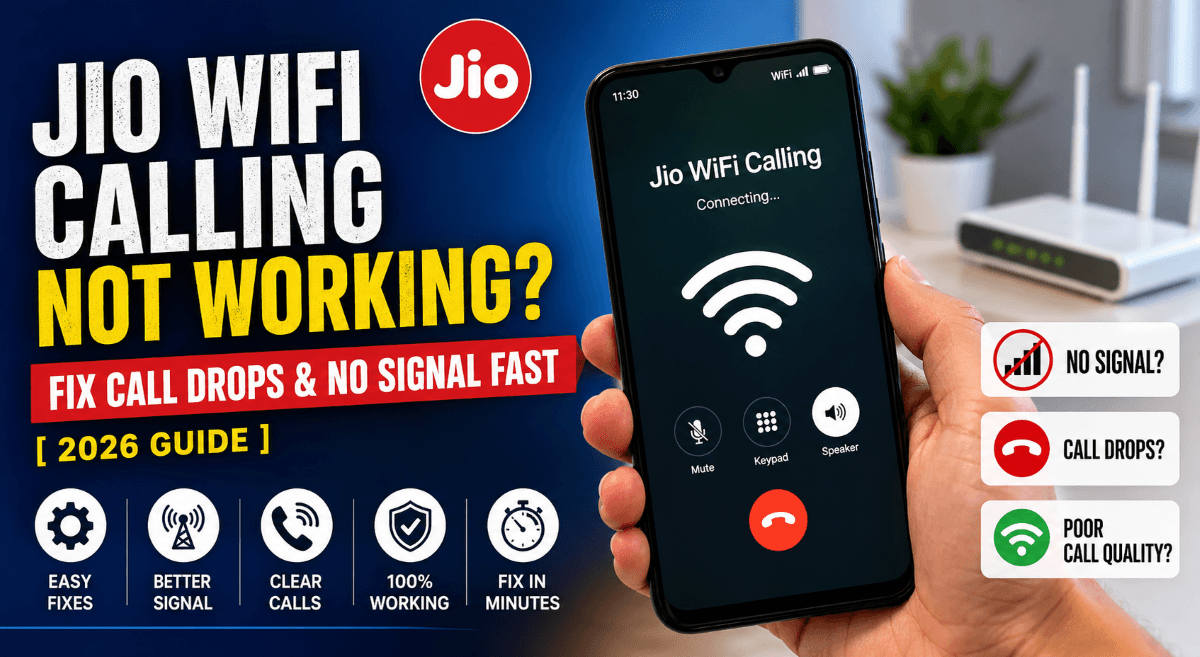
Jio WiFi calling not working on your phone? Calls dropping mid-conversation or showing no signal even when WiFi is strong? That’s frustrating, especially when you rely on it indoors. A lot of users are facing Jio WiFi calling issues in 2026, but the good news is—most of these problems are fixable within minutes.
Let’s break it down step by step so you can fix call drops, no signal, and poor voice quality without wasting time.
Fix Jio WiFi Calling Not Working Fast
If Jio WiFi calling is not working, start with these quick fixes. Most users solve the issue right here.
✅ Quick Checklist
✓ WiFi connected and stable
✓ Airplane mode OFF
✓ VoWiFi enabled in settings
✓ SIM active and inserted properly
✓ Latest software update installed
If everything looks fine but the issue continues, move to deeper fixes below.
Why Your Jio WiFi Calling Stops Working
This isn’t random. There are a few common reasons behind Jio WiFi calling problems:
• Weak or unstable WiFi connection
• VoWiFi setting turned OFF
• Network compatibility issues
• Outdated phone software
• Router blocking VoWiFi ports
Once you know the cause, fixing it becomes much easier.
Turn ON WiFi Calling (Most Important Fix)
Many users miss this simple step.
Steps to Enable VoWiFi
- Open Settings
- Tap Mobile Network / SIM Settings
- Select your Jio SIM
- Turn ON WiFi Calling (VoWiFi)
- Enable Prefer WiFi over Mobile Network
If WiFi calling is disabled, your phone won’t route calls through WiFi—even if the signal is weak.
Read Also: Jio Phone Heating Problem? Don’t Ignore These Simple Solutions
Fix Call Drops on Jio WiFi Calling
Call drops usually happen due to unstable network switching between WiFi and mobile signal.
Try These Fixes
• Keep WiFi signal strong (sit closer to router)
• Turn ON airplane mode, then enable WiFi only
• Restart your phone
• Switch between 2.4GHz and 5GHz WiFi
Pro tip:
Airplane mode + WiFi ON forces your phone to use WiFi calling only. This reduces sudden call drops.
No Signal on Jio WiFi Calling? Do This
Seeing no signal even when WiFi is working? That’s a common Jio WiFi calling issue.
Fix It Quickly
• Toggle WiFi OFF → ON
• Remove and reinsert SIM card
• Reset network settings
• Check if your device supports VoWiFi
Not all phones support WiFi calling properly, even if the option is visible.
Check Device Compatibility
Some older phones struggle with Jio WiFi calling.
Popular supported brands include:
• Samsung Galaxy series
• OnePlus devices
• Xiaomi / Redmi phones
• iPhones (iOS 12+)
If your phone is outdated, WiFi calling may be unstable or fail completely.
Read Also: Best APN Settings for Jio (Boost Speed Instantly)
Reset Network Settings (Power Fix)
If nothing works, this usually does.
Steps
- Go to Settings
- Tap System / General Management
- Select Reset
- Tap Reset Network Settings
⚠️ This removes saved WiFi passwords, so keep them handy.
Router Issues That Break WiFi Calling
Sometimes the problem isn’t your phone—it’s your router.
Common Router Problems
• Firewall blocking VoWiFi
• Poor bandwidth
• High latency or packet loss
Fix
• Restart router
• Update firmware
• Disable strict firewall temporarily
• Use a stable broadband connection
Improve Voice Quality on Jio WiFi Calling
Poor voice clarity? Try this:
• Use high-speed WiFi (minimum 5 Mbps)
• Avoid crowded networks
• Close background apps
• Switch to 5GHz WiFi
Better internet = better call quality.
Read Also: Jio 5G Not Working? 8 Real Fixes No One Talks About
Comparison: WiFi Calling vs Normal Network
| Feature | WiFi Calling | Normal Network |
|---|---|---|
| Signal Strength | Works indoors | Weak indoors |
| Call Quality | HD (if WiFi strong) | Depends on tower |
| Battery Usage | Lower | Higher |
| Call Drops | Less (stable WiFi) | More in low signal |
Advanced Fix: Force LTE + WiFi Calling
Sometimes your phone keeps switching networks.
Try This
• Set preferred network to 4G/LTE only
• Enable WiFi calling
• Restart device
This stabilizes connection and reduces call drops.
When Nothing Works
If Jio WiFi calling still not working:
• Contact Reliance Jio support
• Dial 198 from Jio SIM
• Visit nearest Jio store
There might be a network issue in your area.
Final Thoughts
Jio WiFi calling not working can feel annoying, but most issues come down to settings, network stability, or device compatibility.
Fixing it doesn’t take long once you know where to look.
Start with the basic checklist, then move step by step. In most cases, your WiFi calling will be back within minutes.
Read Also: Jio True 5G vs 4G Speed Test – Is It Really Faster?
FAQ – Jio WiFi Calling Not Working
Why is Jio WiFi calling not working even when WiFi is connected?
This usually happens when VoWiFi is turned OFF or your network isn’t stable enough. A connected WiFi doesn’t guarantee calling will work—your phone needs:
• WiFi calling enabled
• Strong and consistent internet
• Proper SIM network registration
Also, some routers block WiFi calling services, which silently breaks the feature.
How do I activate Jio WiFi calling on my phone?
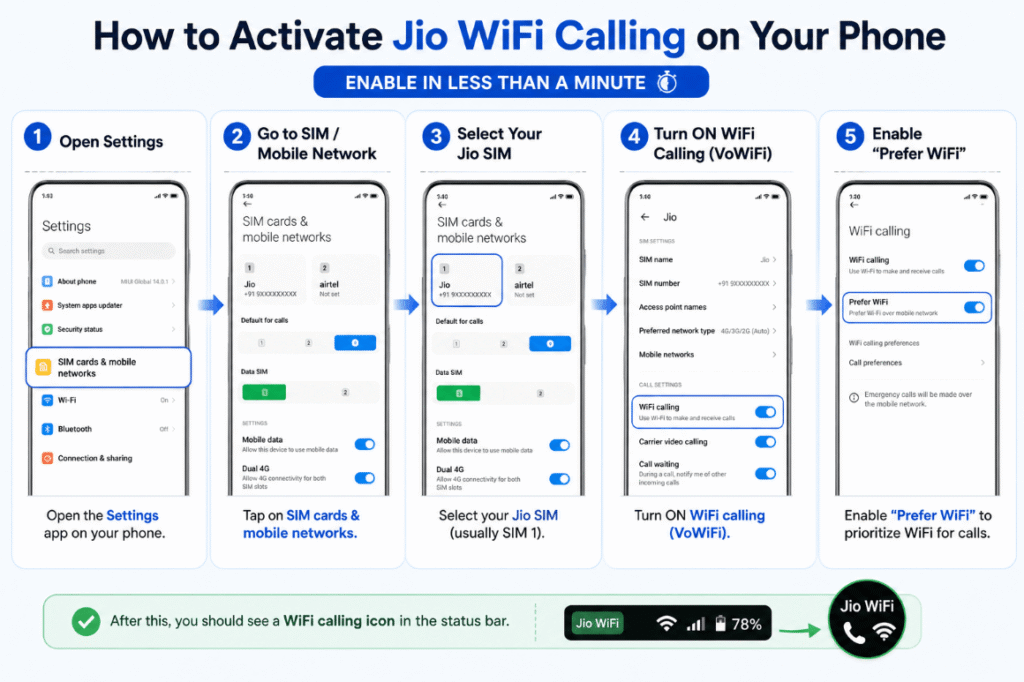
You can enable it in less than a minute:
- Open Settings
- Go to SIM / Mobile Network
- Select your Jio SIM
- Turn ON WiFi Calling (VoWiFi)
- Enable “Prefer WiFi”
After this, you should see a WiFi calling icon in the status bar.
Why are my calls dropping on Jio WiFi calling?
Call drops usually mean your phone is switching between WiFi and mobile network.
This happens when:
• WiFi signal fluctuates
• Mobile signal interferes
• Router latency is high
A simple fix? Turn on airplane mode and then enable WiFi. That forces stable WiFi calling.
Does Jio WiFi calling work without internet?
No. It completely depends on an active internet connection.
Even though it feels like a normal call, it’s actually routed through your WiFi network. No internet = no WiFi calling.
Which phones support Jio WiFi calling in 2026?
Most modern smartphones support it, including:
• iPhones (iOS 12 and above)
• Samsung Galaxy devices
• OnePlus phones
• Xiaomi / Redmi / Realme
Still, support can vary by model and software version.
Why is there no WiFi calling option on my phone?
If the option is missing, it could mean:
• Your device doesn’t support VoWiFi
• Software is outdated
• Carrier settings not updated
Try updating your phone first. If it still doesn’t appear, your device may not support it.
Is Jio WiFi calling free?
Yes. Reliance Jio offers WiFi calling at no extra cost.
You’re charged the same as a normal call based on your plan. There are no additional WiFi calling fees.
How do I know if WiFi calling is active?
Look at your phone’s status bar.
You’ll see:
• “WiFi Calling” text OR
• A small phone + WiFi icon
If you don’t see it, the feature isn’t active yet.
Can I use Jio WiFi calling internationally?
Yes, but it depends on your plan and roaming settings.
WiFi calling can help you avoid roaming signal issues, but charges may still apply depending on usage.
Does WiFi speed affect call quality?
Absolutely. Poor internet leads to:
• Voice lag
• Call drops
• Distorted audio
For smooth calls, aim for:
• At least 5 Mbps speed
• Low latency connection
• Stable WiFi signal
Quick Troubleshooting Recap
If Jio WiFi calling not working, remember this:
✓ Enable WiFi calling
✓ Use strong WiFi
✓ Restart device
✓ Reset network settings
✓ Check device compatibility
Follow this flow, and most issues disappear fast.